¶ What is Firmware Version
The firmware version identifies the firmware currently installed on the printer and helps the technical support team verify device compatibility and troubleshoot issues.
¶ Why do I need to find the Firmware Version
Provide the Firmware Version for after-sales services.
¶ How to find the Firmware Version
You can find the Firmware Version in Morpho Studio, or on the printer screen.
¶ Morpho Studio
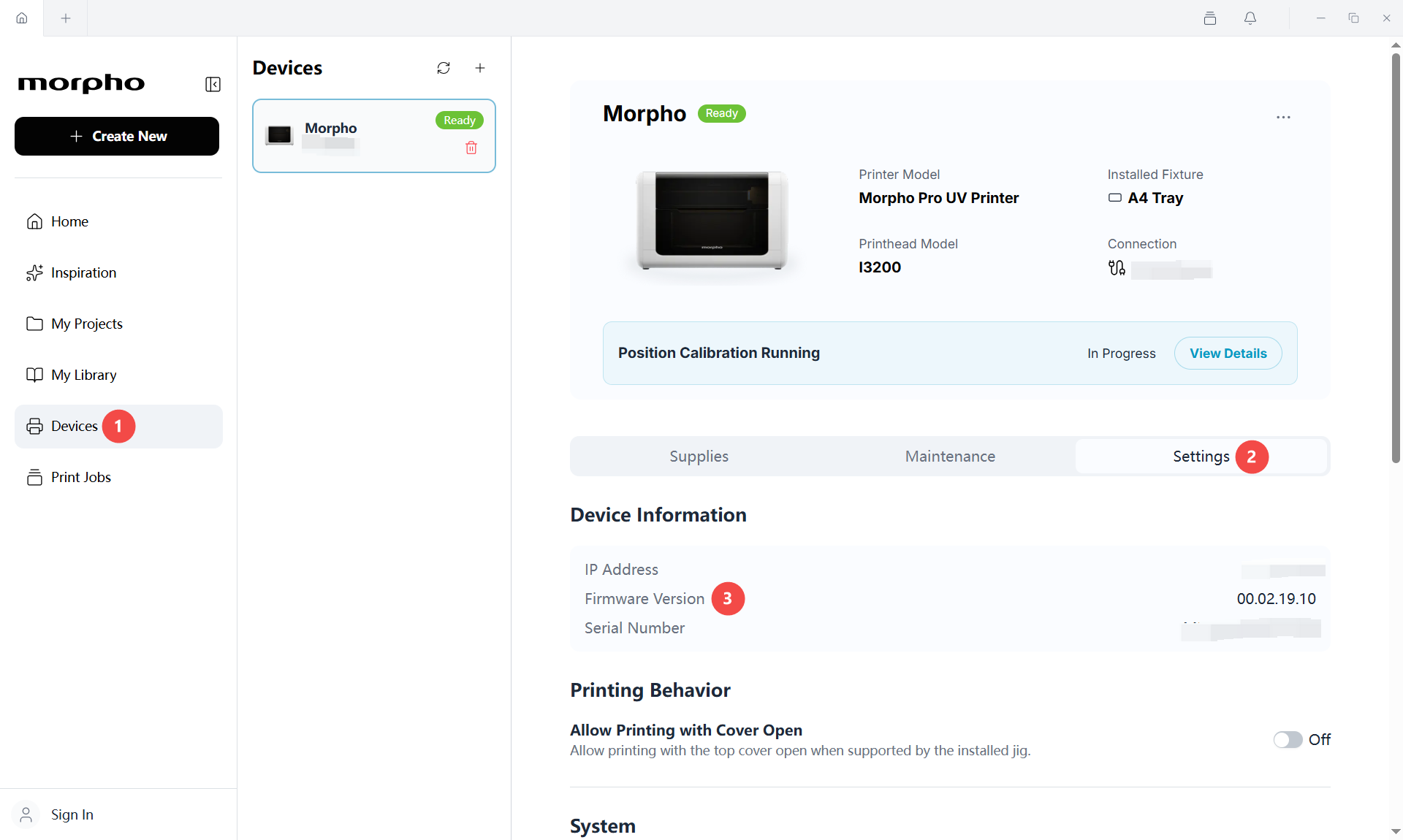
In Morpho Studio, the Firmware Version can be found under Device→ Setting as shown in the image below:
¶ Printer Screen Menus
The following steps are the same for Morpho series printers.
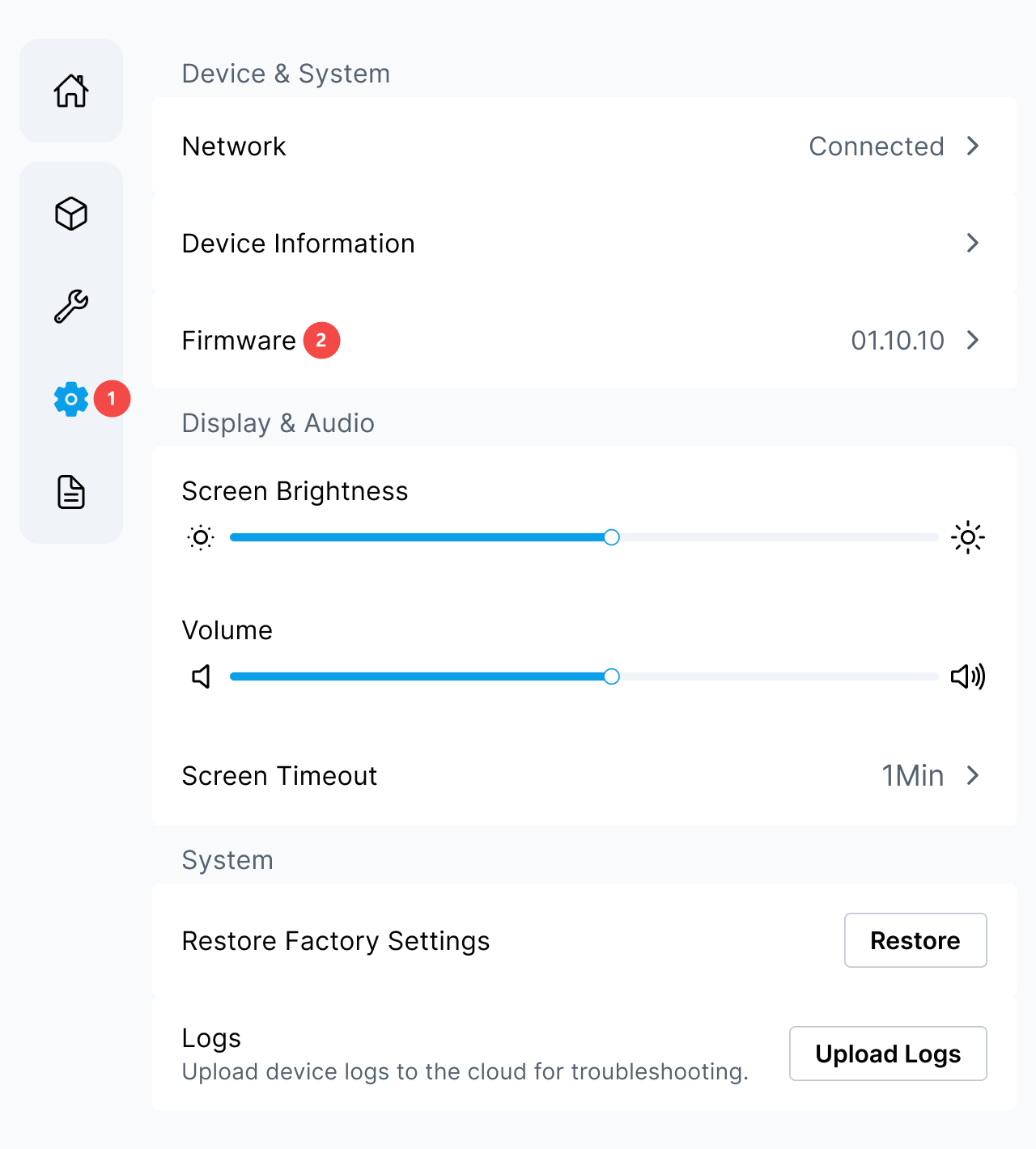
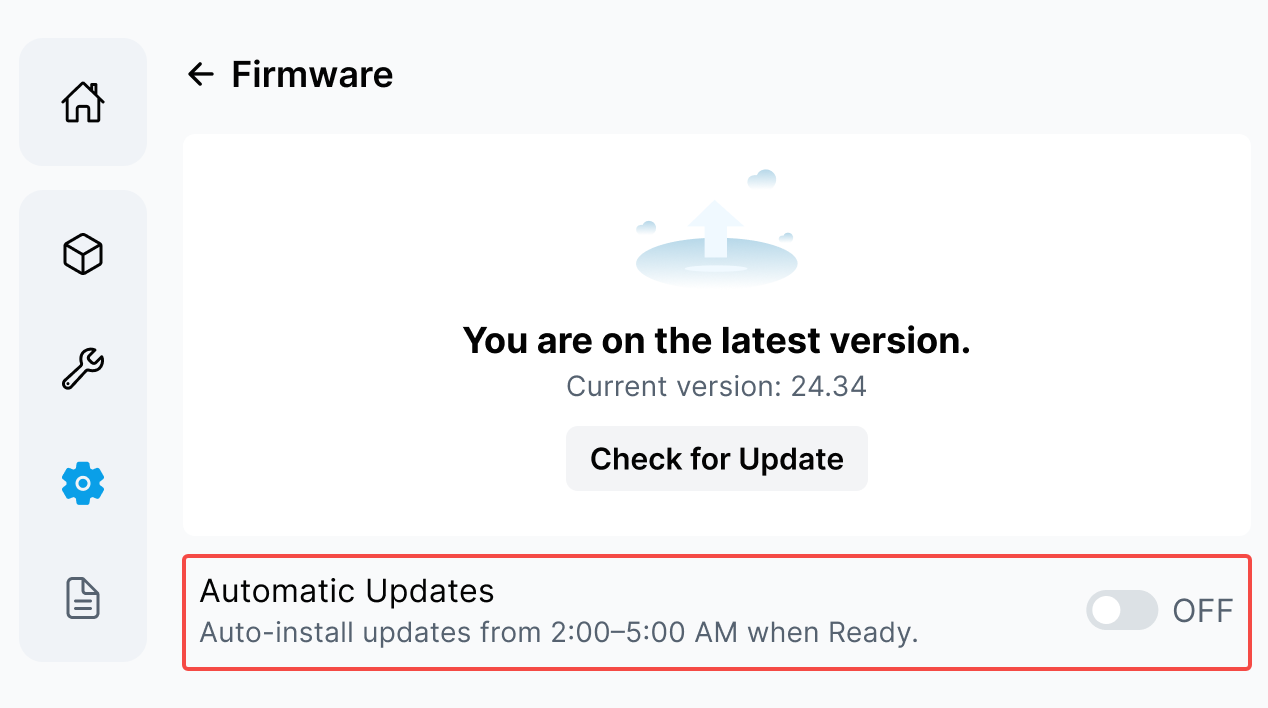
¶ Step 1: Select the Printer Settings tab and select Firmware.
¶ Step 2: Read the Current Version
- On the Firmware page, find Current version.
- Record the complete version value.
- Provide the value to the technical support team when requested.
¶ Check for a Firmware Update
- Open the Firmware page on the printer screen.
- Select Check for Update.
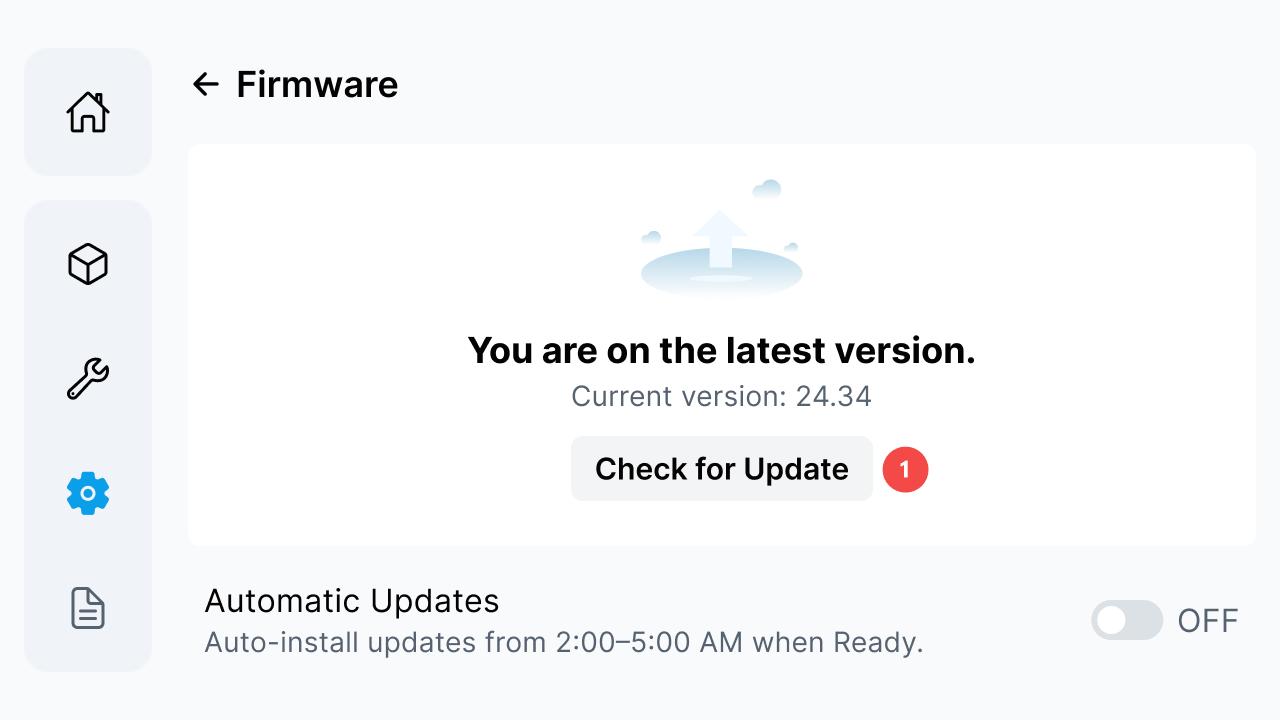
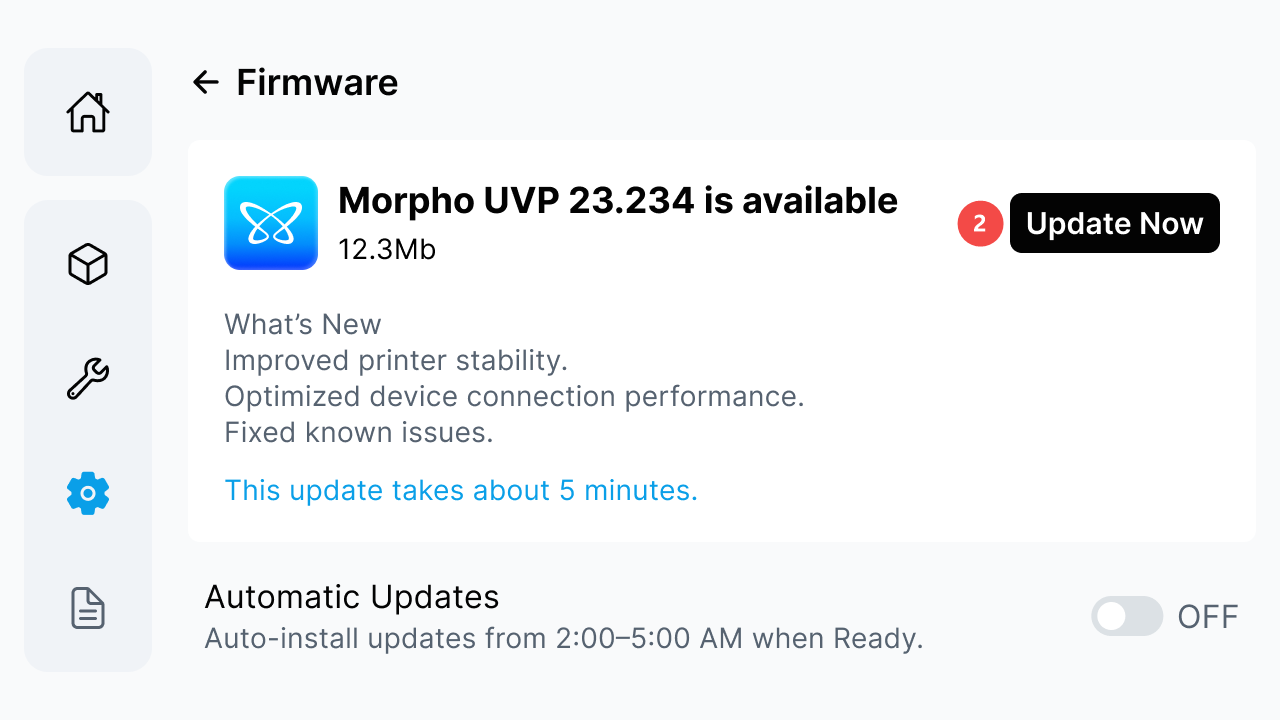
- If an update is available, review the displayed version, file size, release notes, and estimated update time.
- To start the update immediately, select Update Now.
¶ Enable Automatic Firmware Updates
The Automatic Updates setting allows the printer to install firmware updates during the displayed update window when the printer is ready.
- On the Firmware page, find Automatic Updates.
- Select the toggle when it shows Off.
- Review the Auto Updates On dialog.
- Confirm that the setting shows On after the dialog closes.
¶ Verify the Firmware Version
After checking or updating the firmware, return to the Firmware page and read Current version again. In Morpho Studio, return to Devices → Settings and confirm that Firmware Version shows the expected value.
If the displayed version does not change after an update, record the version shown on the printer screen and in Morpho Studio, then contact the technical support team.