¶ Wiper Unit
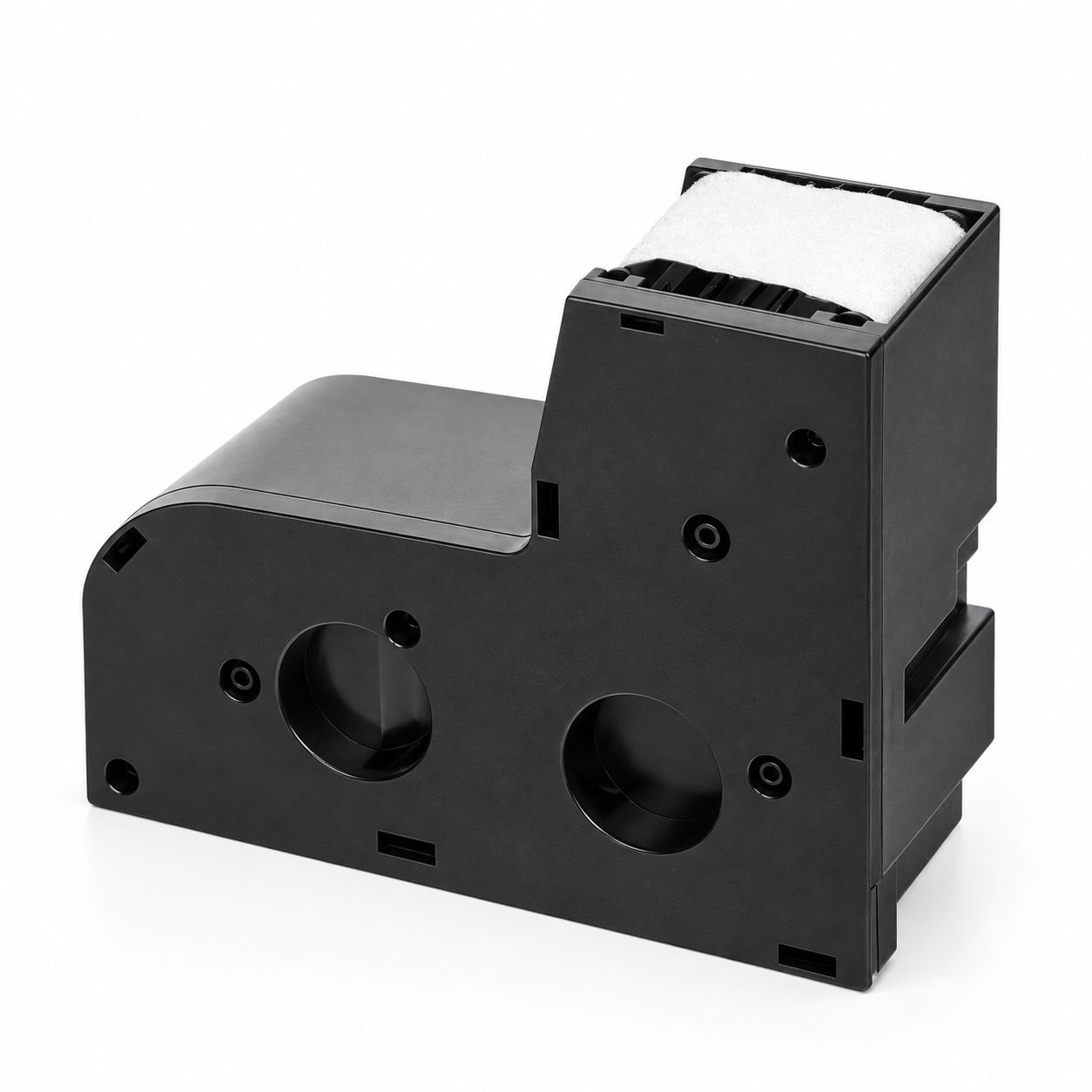
The Wiper Unit is a replaceable maintenance part located in the printer’s right chamber. It removes residual ink from the printhead surface during maintenance.
¶ When to Replace
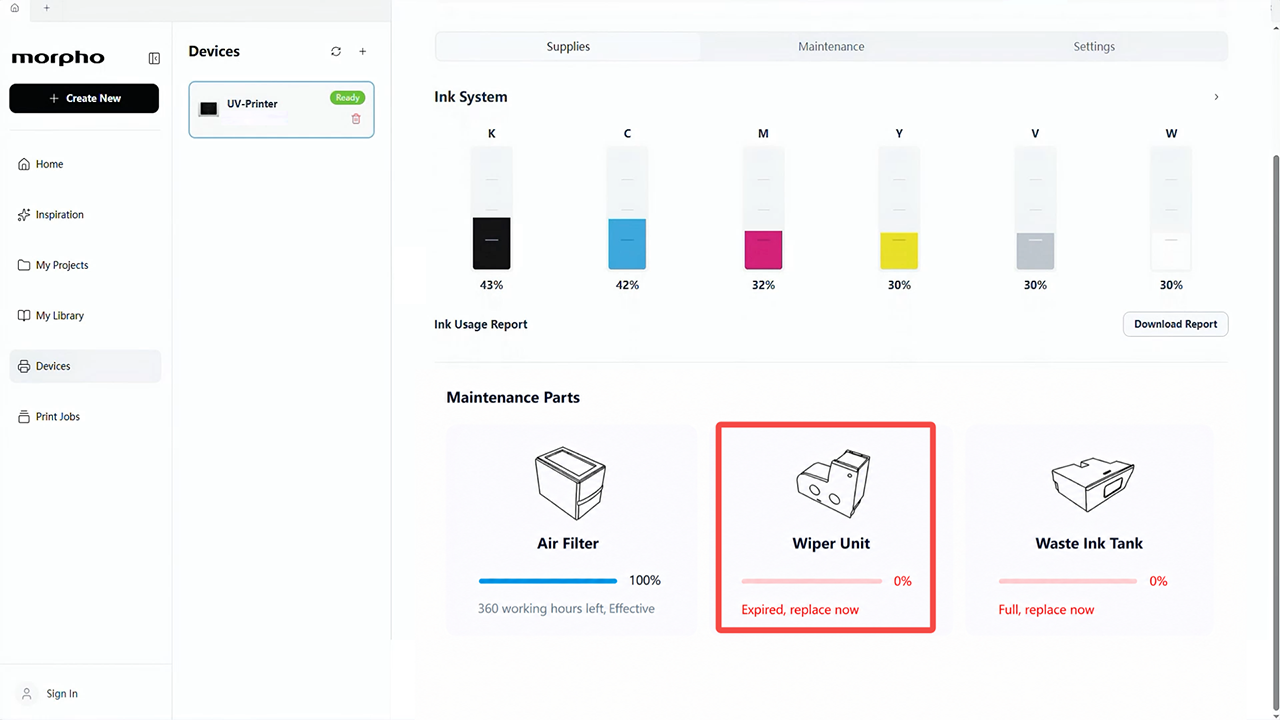
Replace the Wiper Unit when Morpho Studio shows0%(Expired,replace now).
¶ Tools and Materials Required
- New Wiper Unit.
- Disposable Nitrile Gloves

¶ Safety Precautions for Operation
Caution
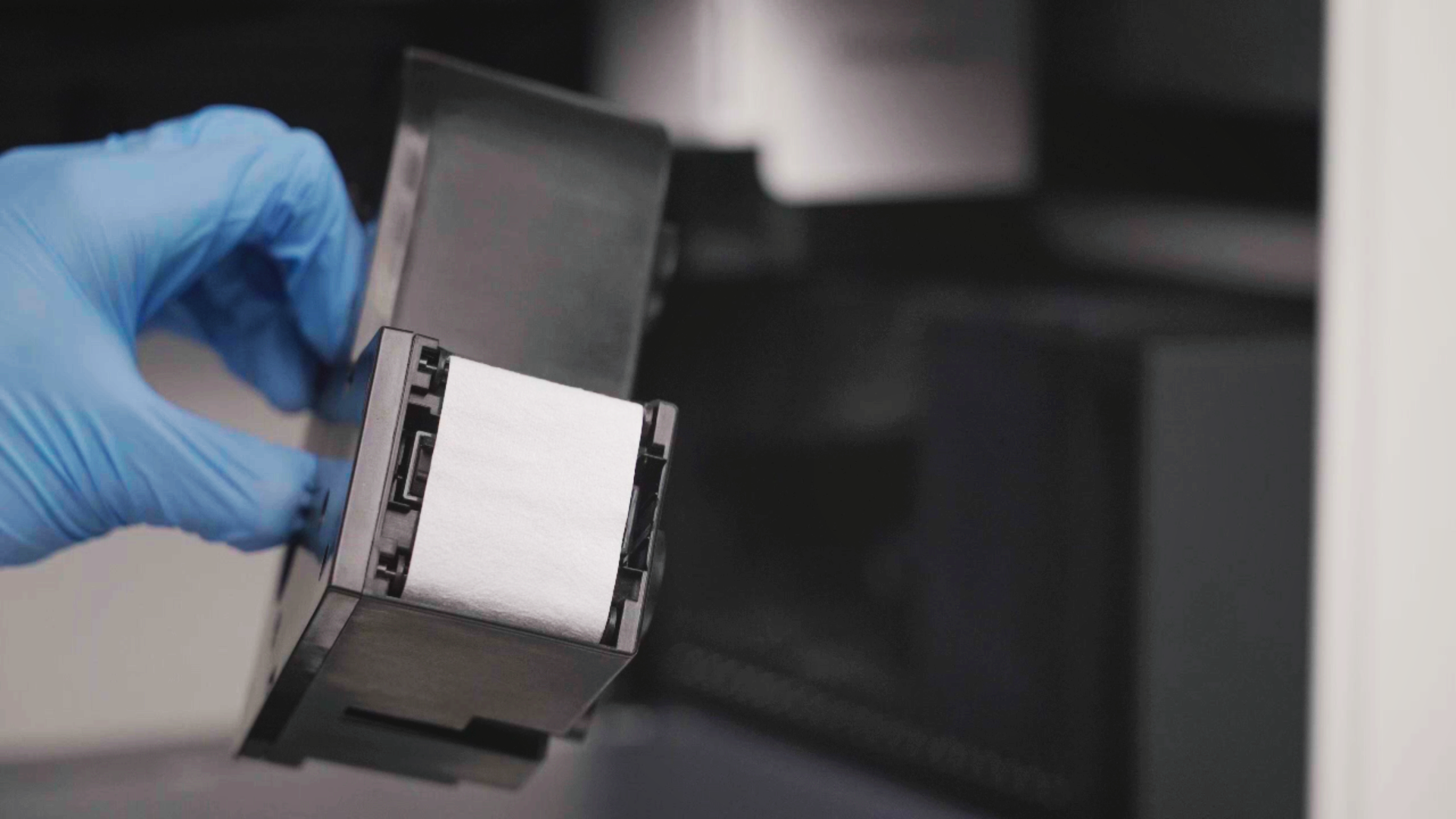
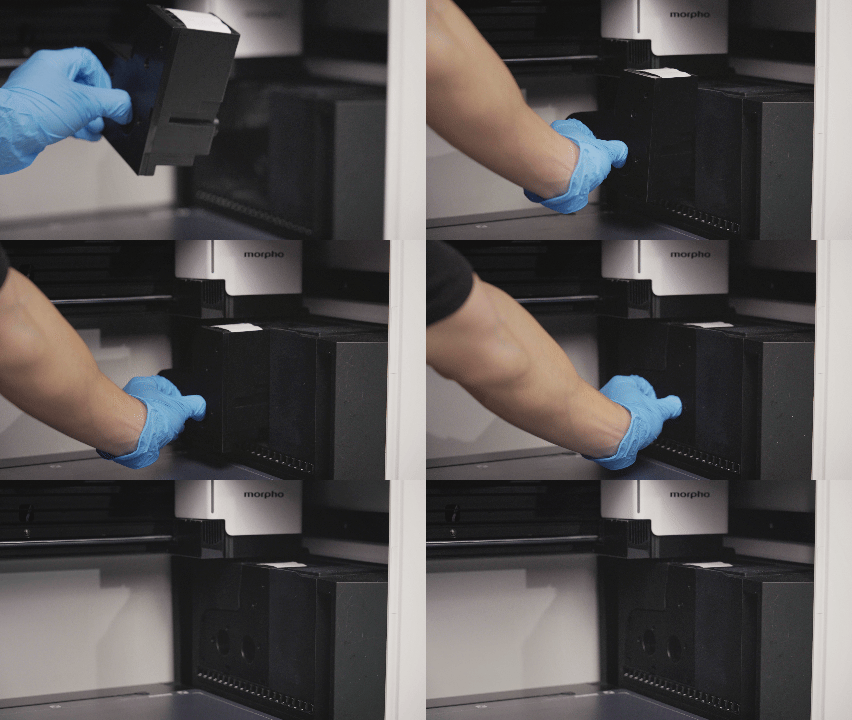
- Keep the Wiper Unit level and aligned with the slot, then insert it straight to avoid damaging the connector.
- Do not touch the electrical contacts with your fingers; contamination may prevent a reliable connection.
- Handle the Wiper Unit gently to avoid damaging its connectors or the printer.
¶ Video Guide
¶ Operation Guide
¶ Step 1: Check the Wiper Unit Status
- In Morpho Studio,find the Wiper Unit under Maintenance Parts.
- Confirm that the Wiper Unit shows
0%(Expired,replace now).
¶ Step 2: Remove the Expired Wiper Unit
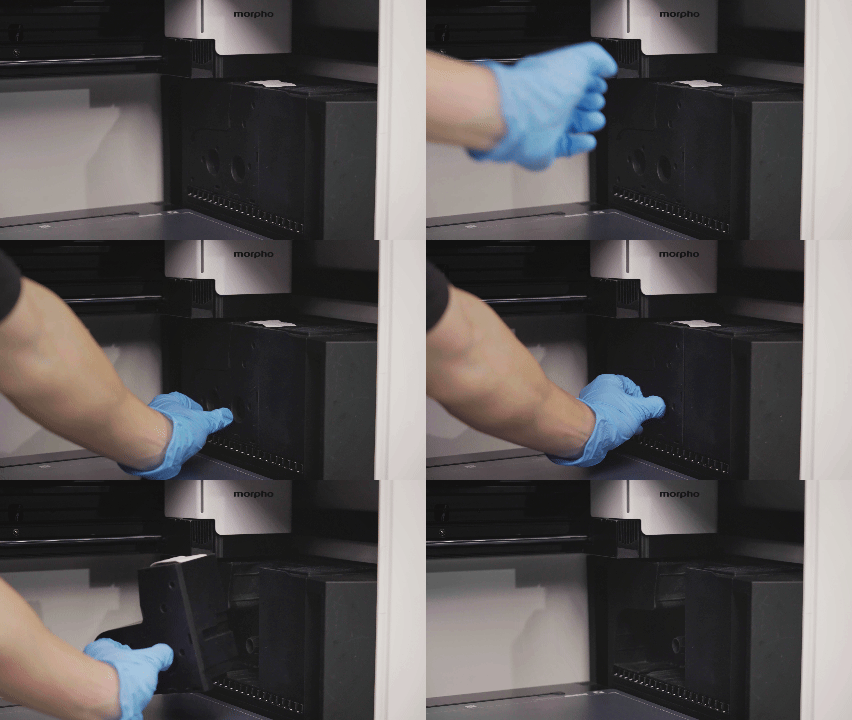
- Put on disposable nitrile gloves, then open the upper front door upward and lower front door downward.
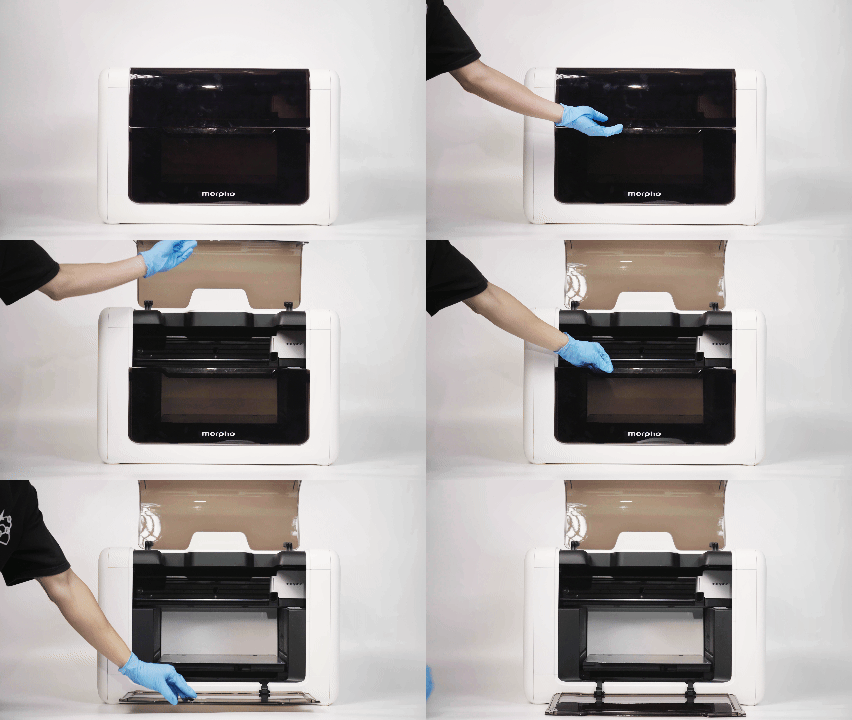
- Locate the Wiper Unit in the right chamber.
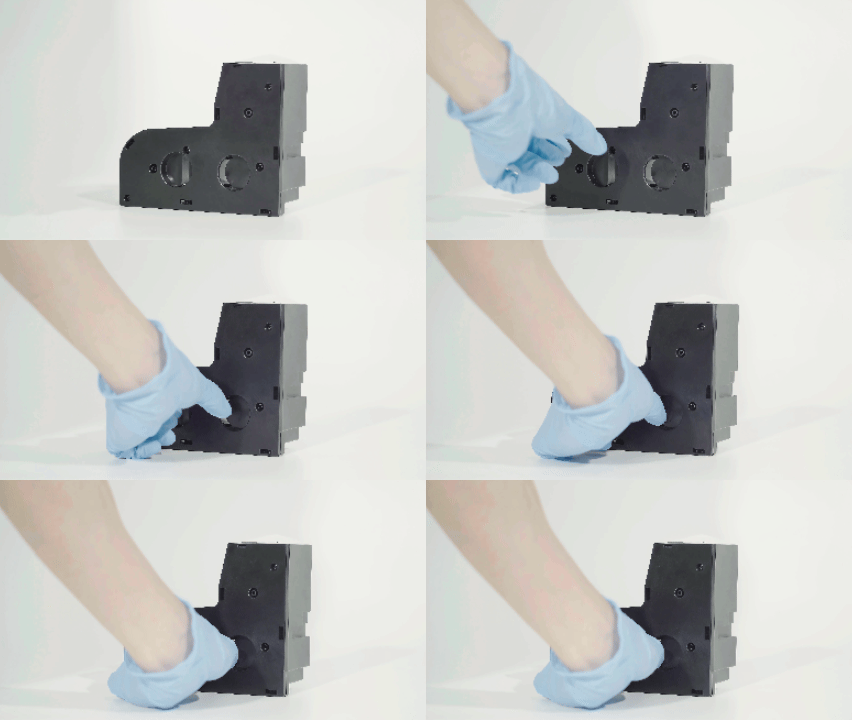
¶ Step 3: Check the Replacement Wiper Unit Orientation
Hold the replacement Wiper Unit in front of the slot. Match the part shape and orientation to the slot.
¶ Step 4: Install the Replacement Wiper Unit
- Align the replacement Wiper Unit with the slot and push it straight in until fully seated.
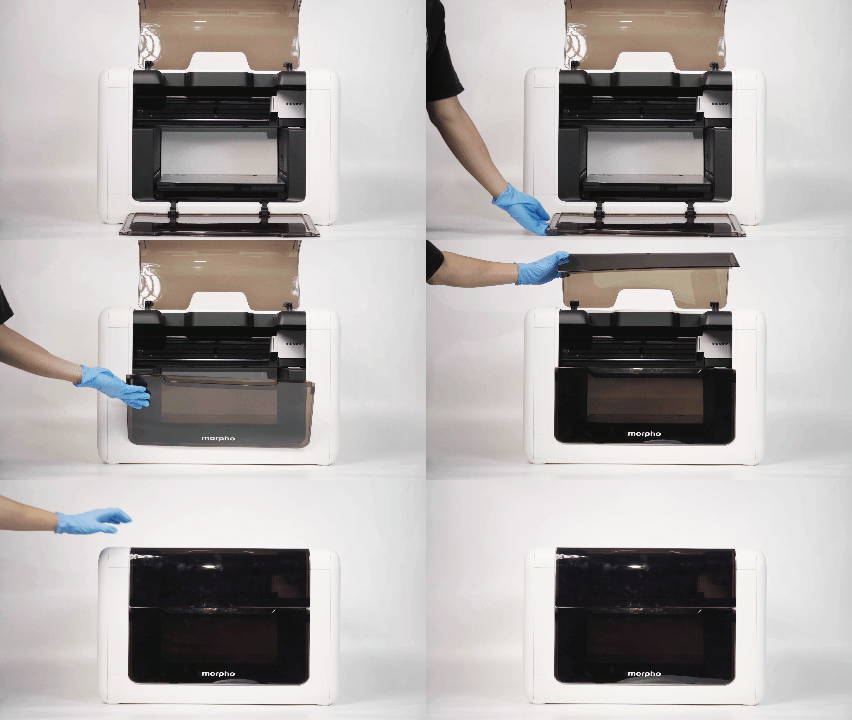
- Close the lower front door and upper front door.
¶ Functional Testing
After installation, the printer automatically detects the Wiper Unit. Wait for the process to finish before verification.
1.Return to Maintenance Parts after the replacement process is complete.
2.Confirm that the replacement Wiper Unit is recognized and its usage count has been updated.
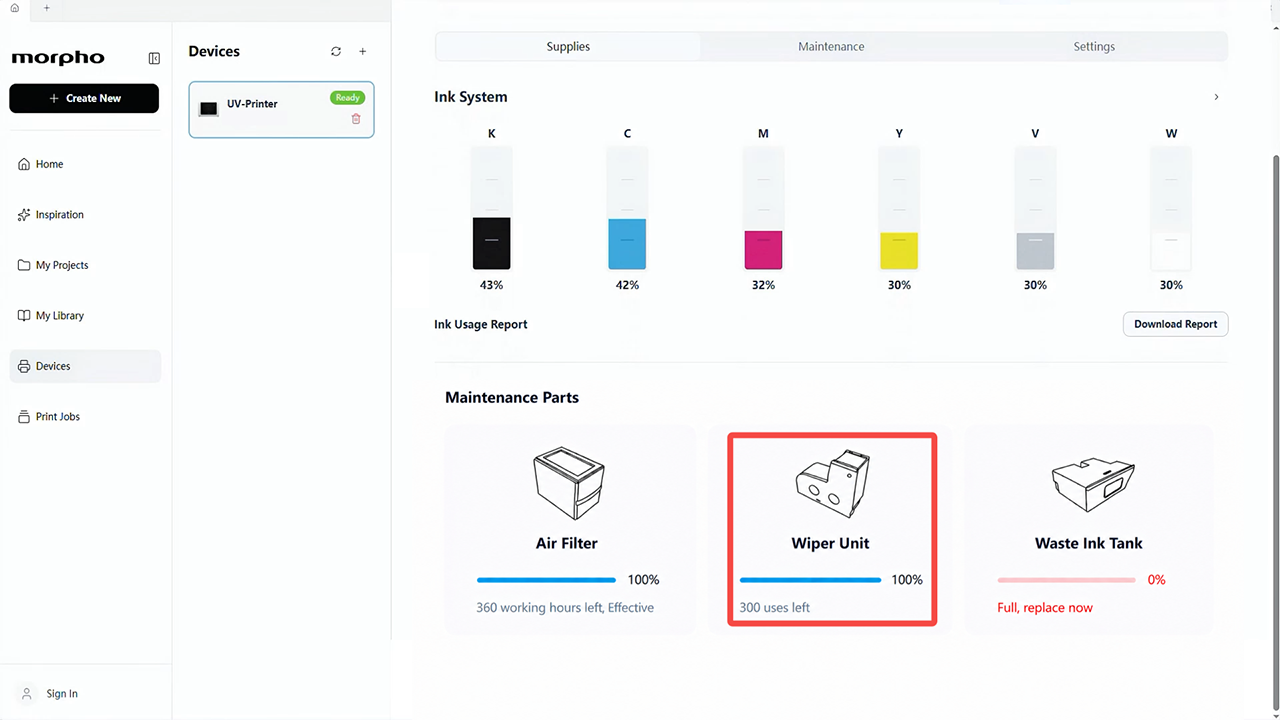
If the Wiper Unit status updates successfully, the replacement has been completed. If it does not, please remove and reinsert the Wiper Unit, then wait for the printer to detect it. If the error persists, contact our technical support team for further assistance.