Use this guide to install Morpho Studio before connecting a printer. For the complete first-use setup, continue with Getting Started with Morpho Studio.
¶ Check Compatibility
Before downloading, confirm that your computer meets the operating-system requirements shown on the official download page and that you are using a supported Morpho printer and software release.
¶ Download Morpho Studio
Download the installer from the official Morpho download page:
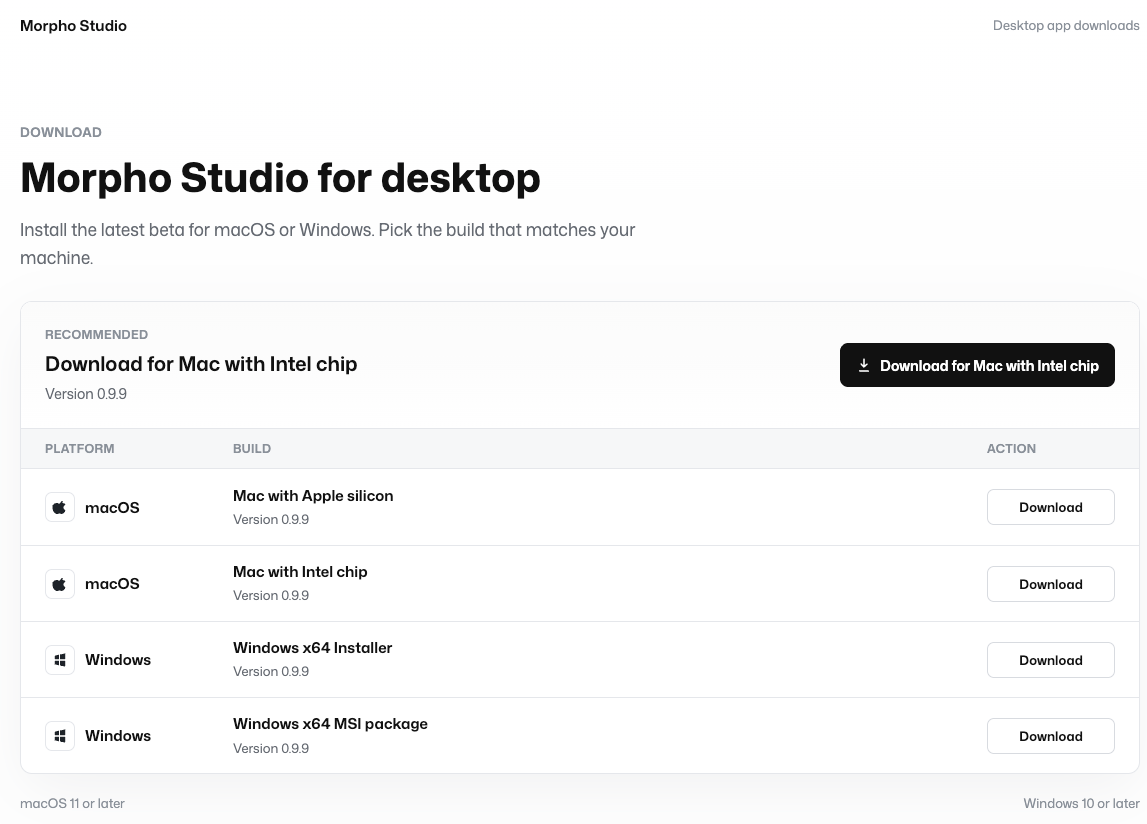
Choose the installer that matches your operating system. Do not use installers from unofficial download sources.
¶ Install Morpho Studio
- Open the downloaded installer.
- Follow the installation steps shown on screen.
- Wait until the installation finishes before opening Morpho Studio.
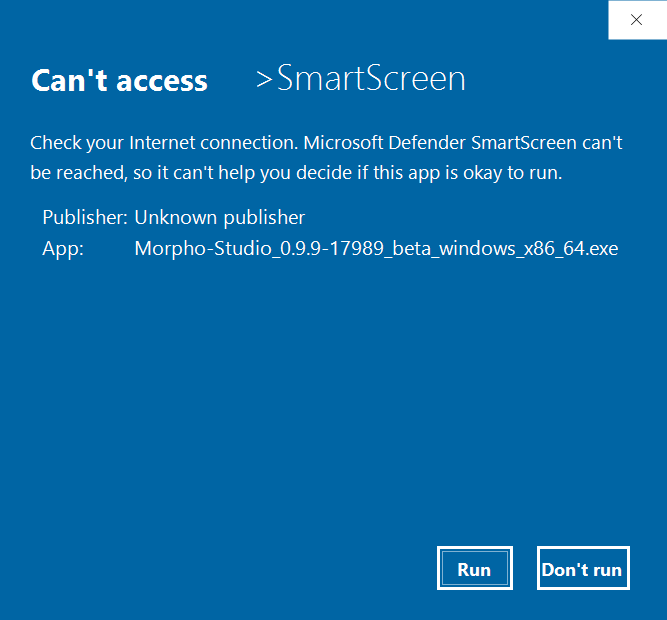
If Windows displays a security warning when you launch the installer, confirm that the file was downloaded from the official Morpho download page, then select Run to continue.
¶ Check the First Launch
Open Morpho Studio after installation and confirm that the application starts without an error message.
When the app opens successfully, continue with Getting Started with Morpho Studio to connect the printer to your local network and add it by IP address.