¶ Soft Proof
¶ 1. Overview
Soft Proof lets you preview how colors may be reproduced using the current Print Settings.
You can compare different Rendering Intents to see how each color-processing method affects the preview, then select the option best suited to the current image.
Note
Soft Proof does not guarantee an exact match to the final print. Actual colors may also be affected by the base material, display, ambient lighting, and printer condition.
¶ 2. Basic Workflow
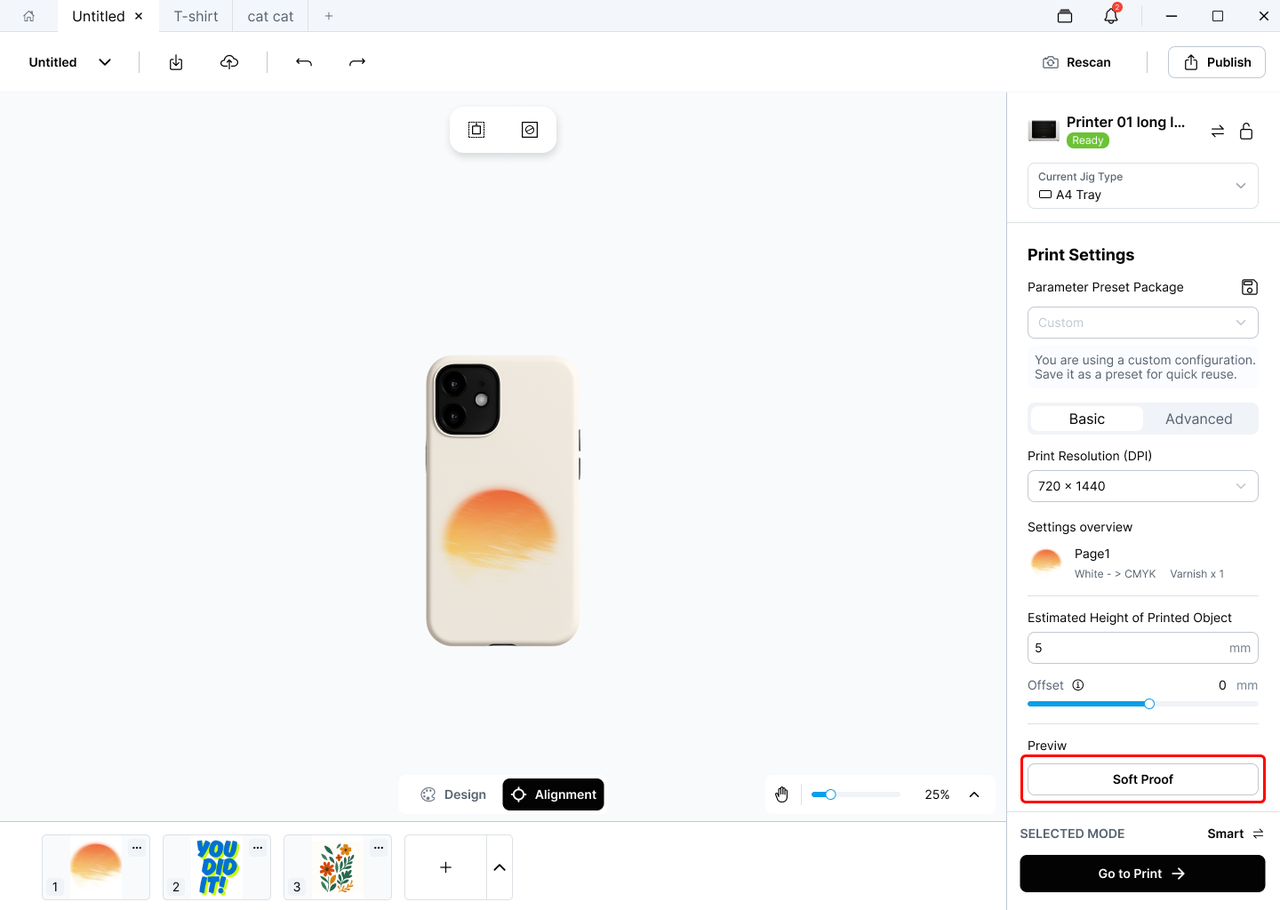
- Select the Print Settings for the current job in Print Setup.
- Open Soft Proof.
- Review the preview using the current Print Settings and the default Rendering Intent.
- Switch between Rendering Intents to compare the color changes.
- Select the Rendering Intent that best matches the intended result.
- Click Go to Print to continue.
¶ 3. Rendering Intent
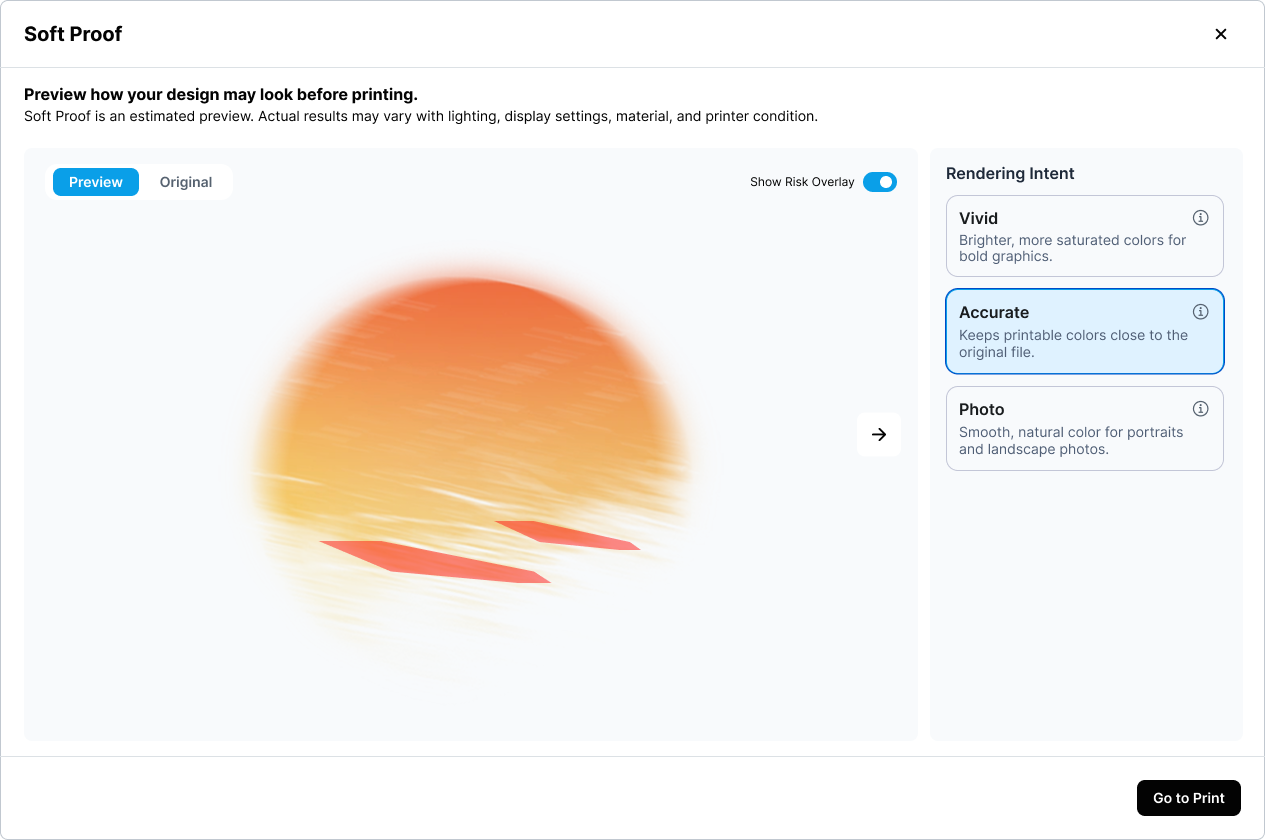
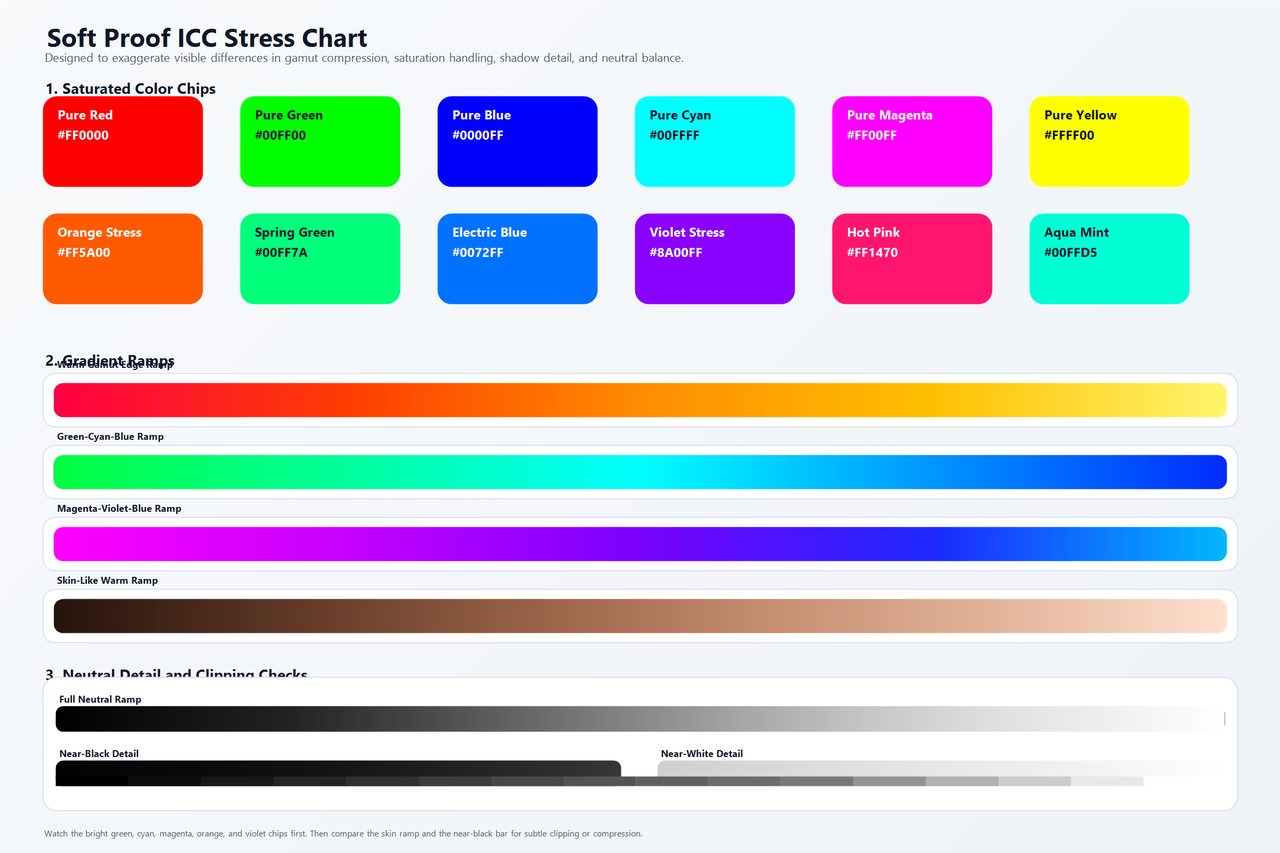
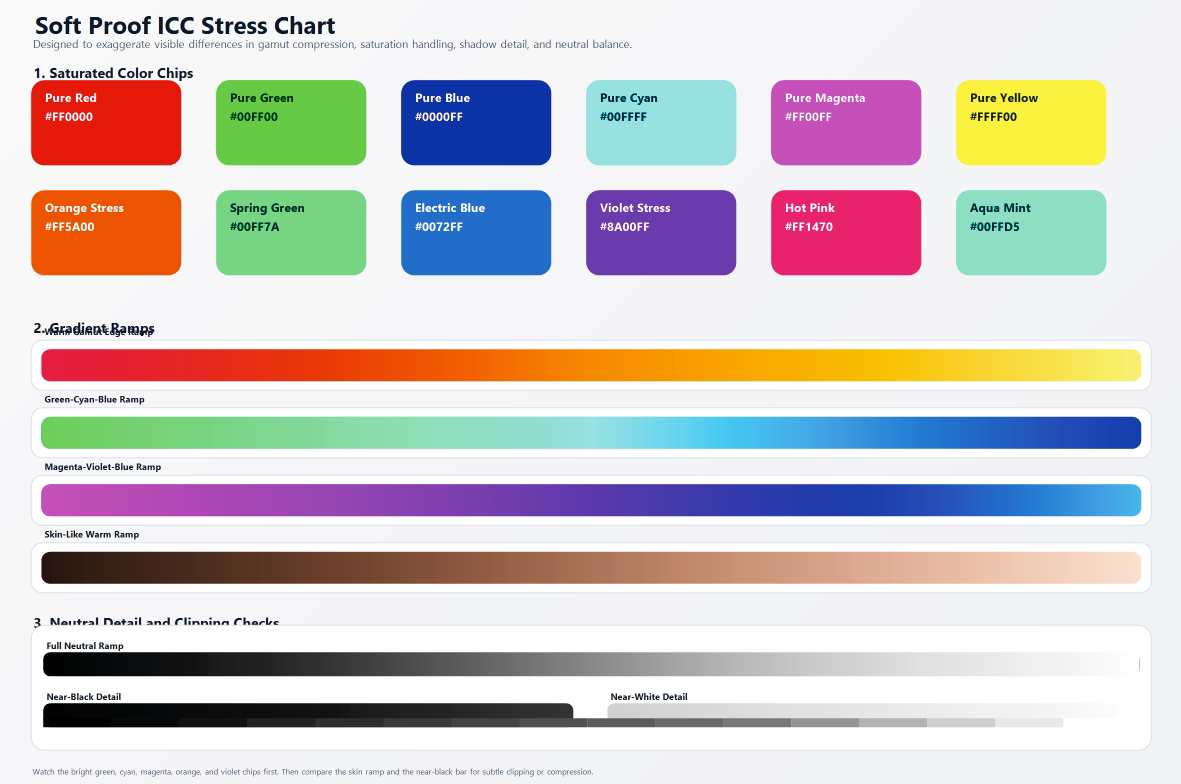
Rendering Intent determines how image colors are converted to the printer's color gamut.
Some colors displayed on a screen cannot be reproduced exactly by a printer. When this occurs, the system adjusts those colors according to the selected Rendering Intent. Each option prioritizes different color characteristics.
 |
 |
¶ Photo
ICC term: Perceptual
Best for:
- Portraits
- Landscapes
- Pet photos
- Other photographic images
Adjusts the overall color range to preserve natural gradients, smooth transitions, and the visual balance of the image.
¶ Accurate
ICC term: Relative Colorimetric
Best for:
- Illustrations
- Logos
- Documents
- Product images
- General designs
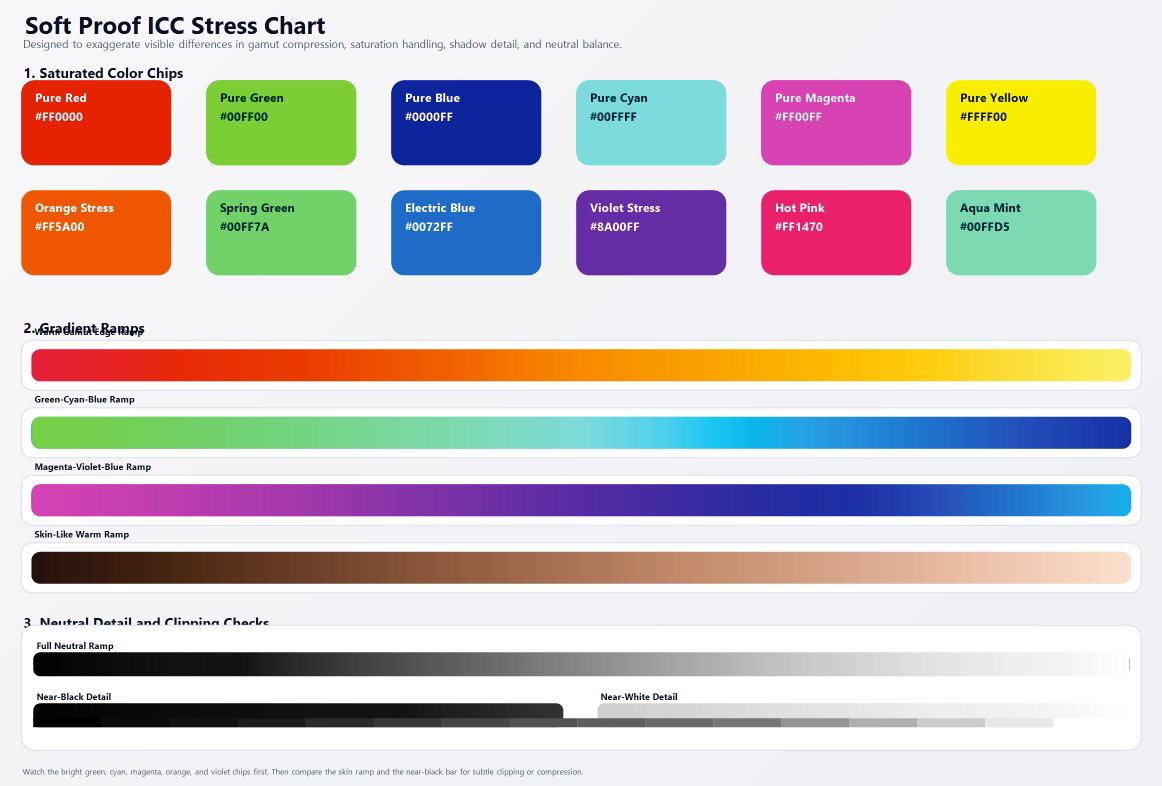
Keeps printable colors as close as possible to the original file while mapping out-of-gamut colors to the nearest reproducible colors.
¶ Vivid
ICC term: Saturation
Best for:
- Posters
- Charts
- Promotional graphics
- Other content that needs strong visual impact
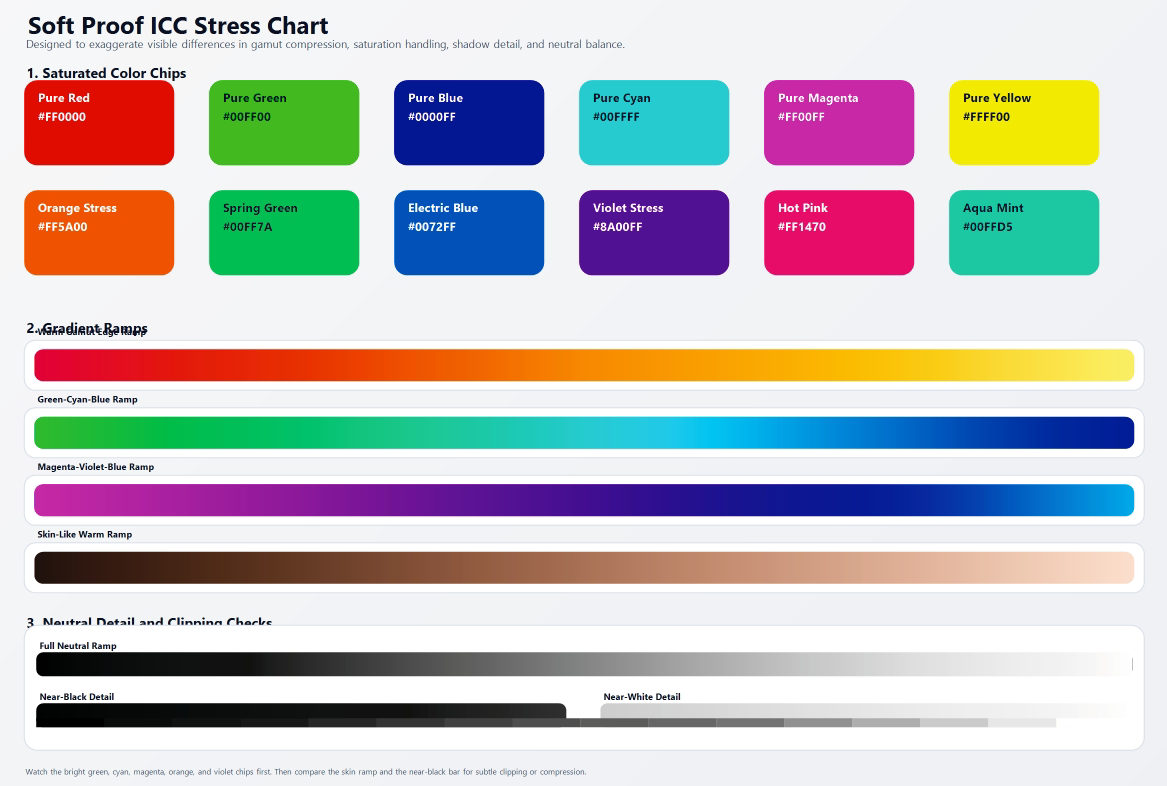
Prioritizes color saturation and distinction.
Colors may appear brighter and more vivid, but exact reproduction of the original colors is not the primary goal.
Note
Differences between Rendering Intents may not be noticeable in every image. If most colors are already within the printer's reproducible gamut, the previews may look similar.
¶ 4. Getting Better Color Reproduction
¶ Choose the Right Base Material
The color and surface properties of the base material directly affect the final appearance.
- White or light-colored materials have less influence on color ink and generally produce brighter colors that are closer to the original image.
- Dark materials can make colors appear darker or cause a color shift. A white ink underbase is usually needed to reduce the influence of the material color.
- Transparent materials may produce a translucent result affected by background colors and lighting. A white ink underbase can provide more consistent color.
- Metallic, mirrored, or highly reflective materials change how light and color are reflected, which can create noticeable differences between the preview and the printed result.
- Rough, matte, textured, or colored materials may make colors appear darker, softer, or slightly shifted.
Even with the same image and Print Settings, changing the base material can significantly change the final colors.
¶ Use a Matching Material Preset
Whenever possible, select an official material preset that matches the material being printed.
A matching preset uses print parameters suited to the material's properties, helping provide more consistent color and white ink coverage.
¶ View the Soft Proof Under Suitable Conditions
Use a moderate screen brightness and view the preview under consistent, neutral-colored lighting.
A screen emits light, while a printed image reflects ambient light. As a result, images displayed on a screen usually appear brighter than their printed versions.
¶ Keep the Printer in Good Condition
Missing nozzles, color mixing, abnormal white ink output, or calibration errors can affect color reproduction.
Before producing a final print, confirm that the printer and printheads are in good condition.
¶ Test Important Print Jobs
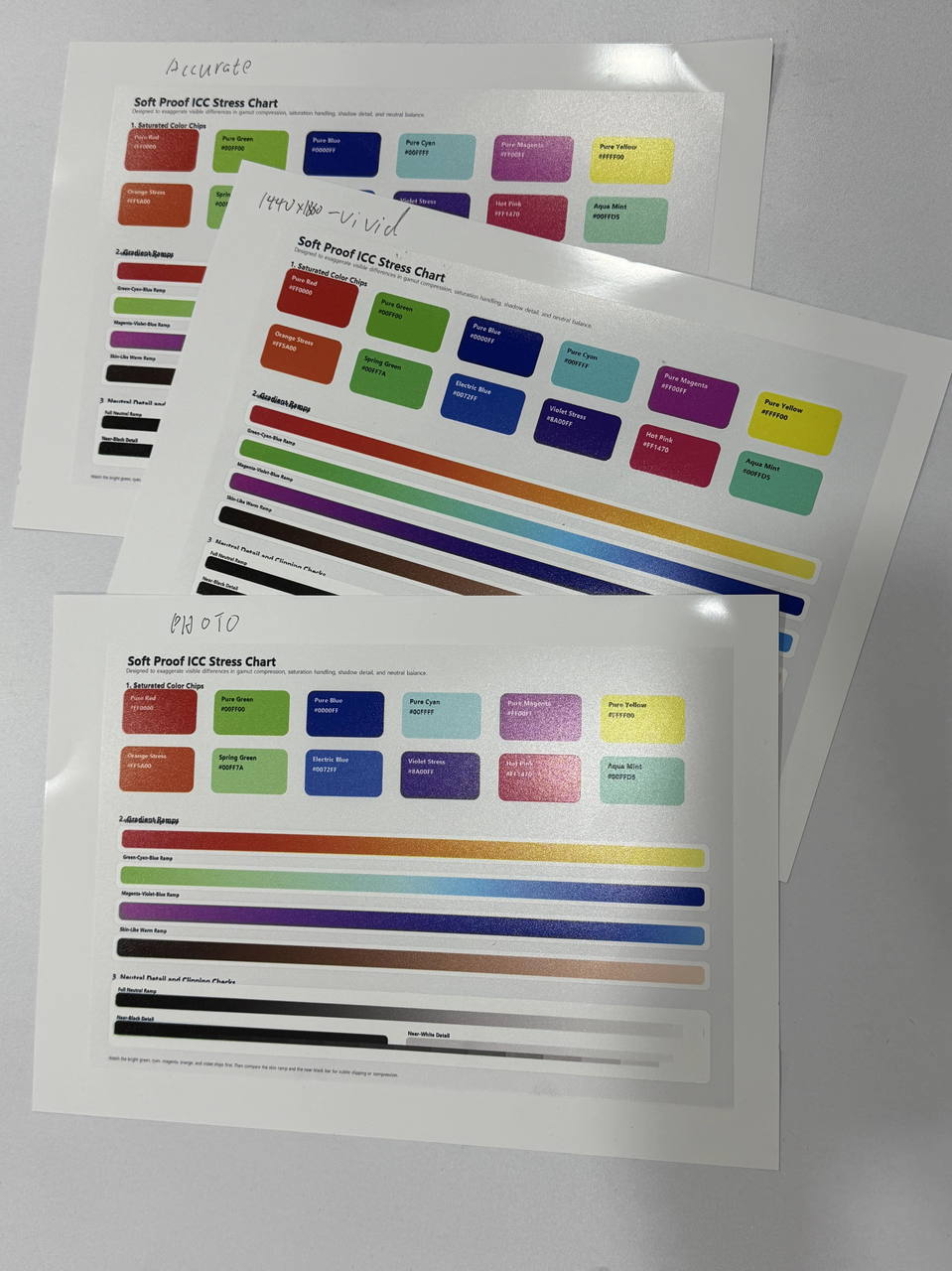
For brand colors, skin tones, product images, or other color-critical work, perform a test print using the same material intended for the final output.
If the material is valuable or limited, begin with a small test or use a similar material for an initial check.
¶ 5. Important Notes
- Soft Proof previews color reproduction trends. It is not an exact reproduction of the final print.
- The preview is generated using the current Print Settings and Rendering Intent. It updates when these settings change.
- Material color, transparency, gloss, and surface texture may produce effects that cannot be fully simulated.
- Screen brightness, display color settings, and ambient lighting can affect how preview colors are perceived.
- Actual results may also be affected by printer calibration, printhead condition, ink condition, and white ink coverage.
- For color-critical work, always rely on a test print made with the actual material.
¶ 6. Frequently Asked Questions
¶ 6.1 Does Soft Proof show the exact final print?
No.
Soft Proof previews the expected color reproduction under the current Print Settings and Rendering Intent.
The actual result may still be affected by the base material, display, ambient lighting, and printer condition.
¶ 6.2 Why does the printed result look darker than the screen?
A screen produces its own light, while a printed image depends on reflected ambient light.
Prints often appear darker when the screen brightness is high or the print is viewed under dim lighting.
Dark materials or insufficient white ink coverage can also reduce color brightness.
¶ 6.3 Why have some colors changed?
Displays and printers have different color gamuts.
When an image contains colors outside the printer's reproducible gamut, the system must map them to printable colors.
As a result, some colors may change.
¶ 6.4 Why do colors change significantly on a different base material?
Color ink does not always completely hide the color of the material beneath it.
The material's color, transparency, gloss, and surface texture all contribute to the final appearance.
The same image can therefore look noticeably different when printed on different materials.
¶ 6.5 Which Rendering Intent should I choose?
- Photo — Portraits, landscapes, and photographs
- Accurate — Illustrations, logos, documents, and general designs
- Vivid — Posters, charts, and promotional graphics
If you are unsure, start with Accurate.
¶ 6.6 Why do the Rendering Intents look similar?
If most colors in the image are already within the printer's reproducible gamut, only limited adjustment is required, so the previews may look similar.
Differences are usually easier to see in images with highly saturated colors, vivid tones, or extensive gradients.
¶ 6.7 Does DPI affect color?
DPI primarily affects print detail, edge quality, and printing time.
However, different DPI modes may use different print processing and color profiles. This can cause slight changes in fine details, color transitions, and overall appearance.
Soft Proof generates the preview according to the currently selected DPI.