¶ Smart Maintenance
¶ 1.Overview
Smart Maintenance is an automated printhead maintenance feature that checks the printhead condition and performs the required maintenance based on the results. It helps restore print quality while reducing the need for manual diagnosis.
Throughout the process, the system automatically analyzes the printhead condition and performs only the steps that are currently required. These may include printhead cleaning, nozzle recovery, nozzle compensation, and print calibration.
You do not need to identify the type of issue or select a maintenance method manually.
¶ 1.1 When to Use Smart Maintenance
Run Smart Maintenance when:
-
Printed images contain missing lines, broken lines, or banding.
-
Some colors are missing or ink output is uneven.
-
The printer has not been used for an extended period.
-
The system reports an abnormal printhead condition.
-
The issue remains after regular Printhead Cleaning.
-
You want to check the current condition of the printhead.
¶ 1.2 Before You Start
Before starting Smart Maintenance, make sure that:
- The printer has completed initialization and is idle.
- There is sufficient ink.
- The correct printbed or jig is installed.
- Calibration paper is placed as instructed.
- The printer will remain powered on and connected throughout the process.
¶ 1.3 How to Start
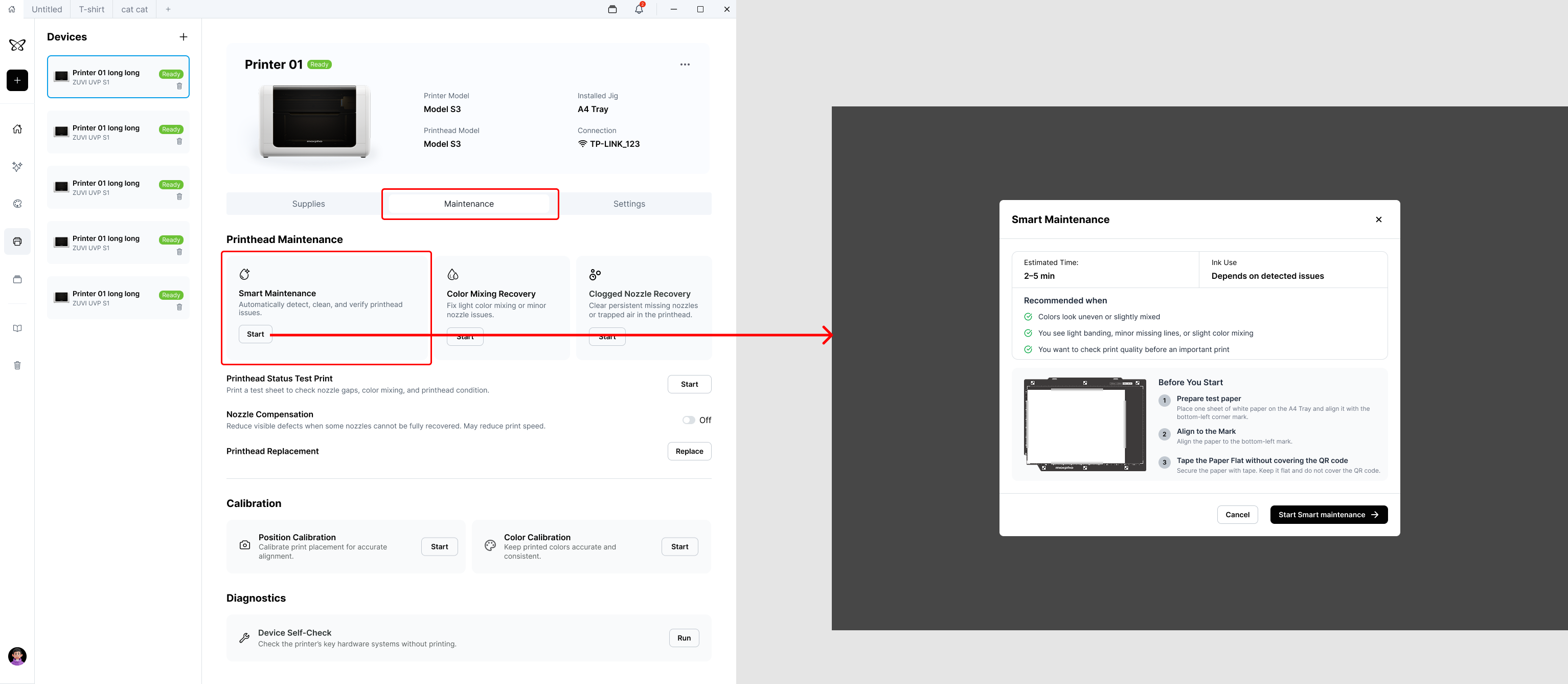
-
Open Device Center.
-
Go to Maintenance.
-
Select Smart Maintenance.
-
Complete the preparation steps shown on the screen.
-
Click Start.
The system will automatically perform the remaining maintenance steps.
¶ 2.Maintenance Process
Smart Maintenance dynamically determines which of the following steps are required based on the current printhead condition.
¶ 2.1 Printhead Check
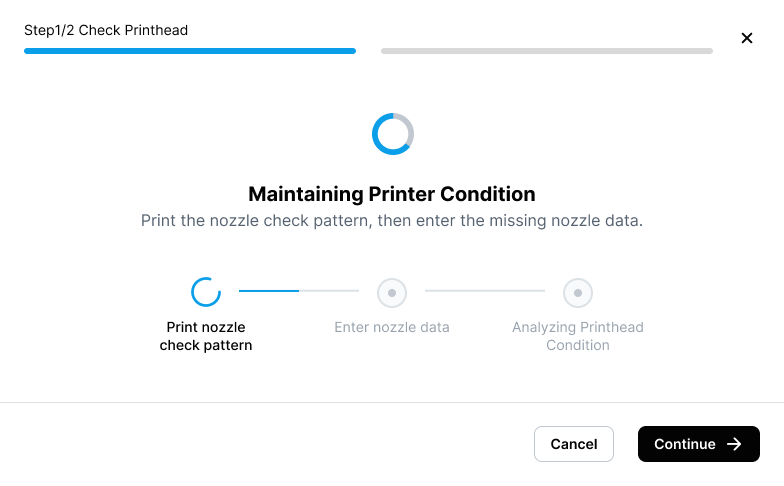
The printer prints a printhead check pattern and automatically analyzes the result.
The system checks for issues such as:
- Missing nozzles
- Clogged nozzles
- Color mixing
- Other conditions that may affect print quality
If no issue is detected, the system proceeds to Print Calibration.
¶ 2.2 Automatic Recovery, If Required
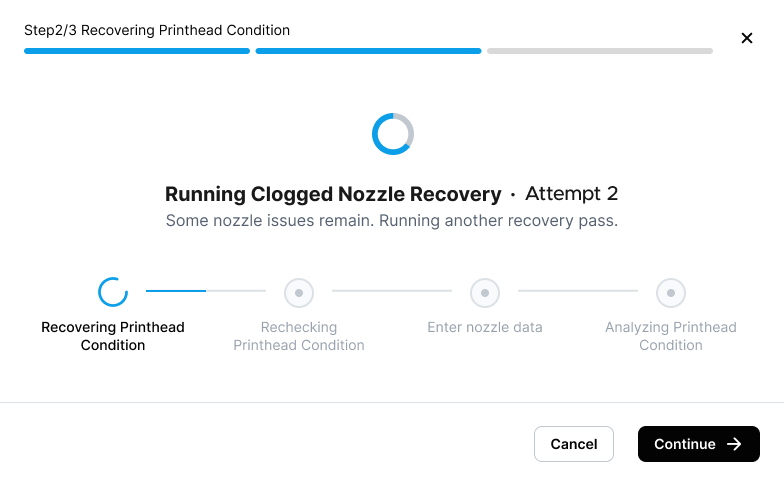
If a printhead issue is detected, the system automatically performs the appropriate recovery process.
Depending on the detected condition, this may include:
-
Clogged Nozzle Recovery
-
Color Mixing Recovery
After each recovery attempt, the system checks the printhead condition again.
If the issue remains, the system automatically continues with another recovery attempt. You do not need to restart Smart Maintenance manually.
If the issue is resolved, unnecessary recovery attempts are skipped.
¶ 2.3 Print Calibration
After the printhead condition has been restored or an appropriate compensation file has been applied, the system performs Print Calibration.
The new calibration result is applied automatically to help maintain printing accuracy after maintenance.
¶ 2.4 Deep Cleaning, If Required
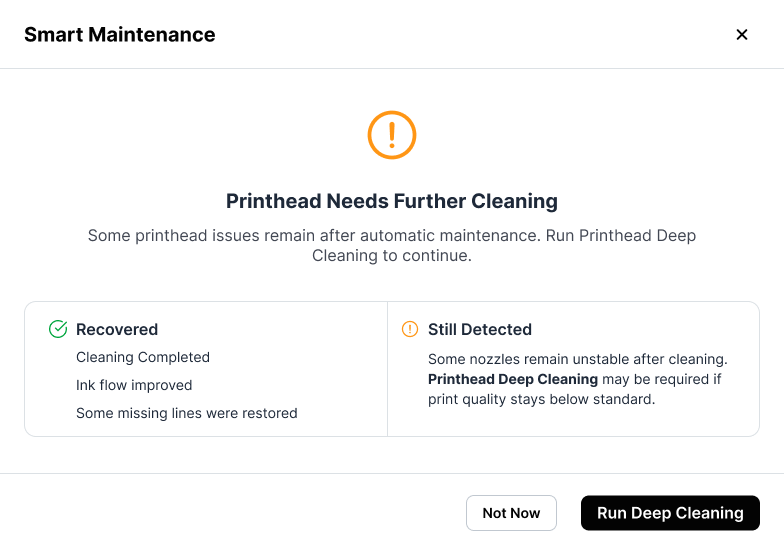
If the standard recovery process cannot restore the printhead condition, the system performs Deep Cleaning.
Deep Cleaning provides a more thorough cleaning process for issues that cannot be resolved through standard recovery.
After Deep Cleaning is complete, the system prompts you to replace the paper and performs a Test Print to evaluate the printhead condition again.
¶ 2.5 Test Print and Nozzle Compensation
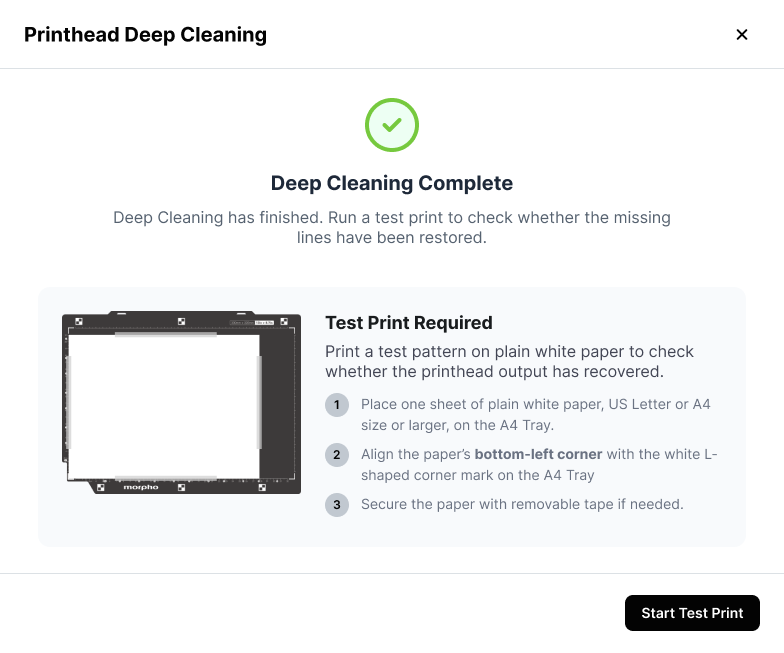
After Deep Cleaning, the system analyzes the Test Print result and determines whether Nozzle Compensation is required.
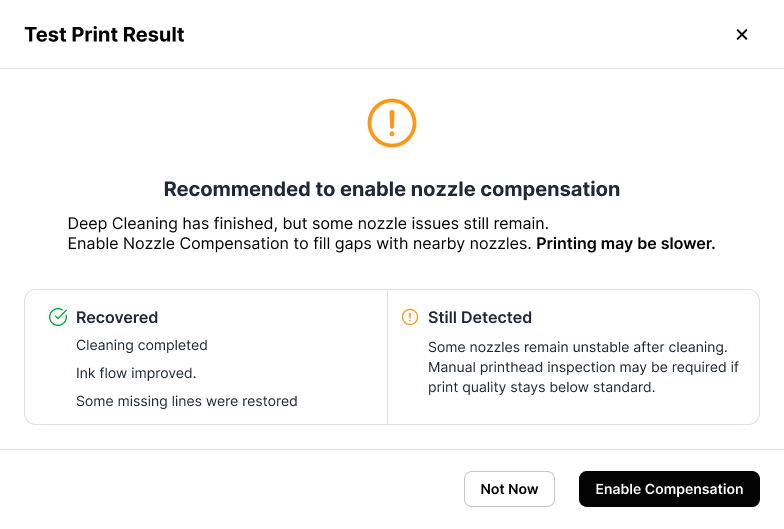
If a small number of missing nozzles cannot be recovered but can still be compensated for, the system generates and applies an appropriate Nozzle Compensation file. No additional action is required for subsequent printing.
If the remaining printhead issue exceeds the supported compensation range, the system prompts you to contact customer support for further inspection.
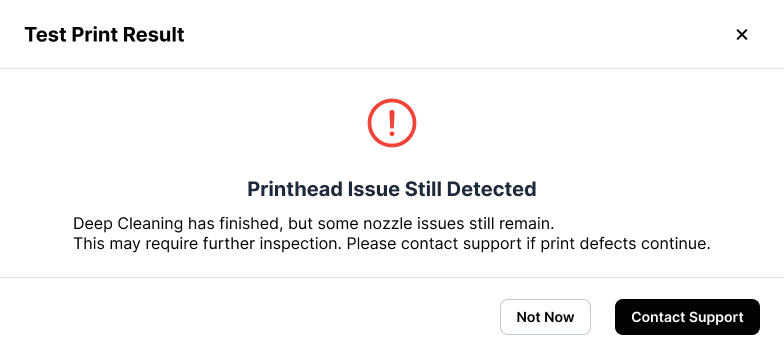
Note: Nozzle Compensation is intended only for a small number of unrecoverable missing nozzles. It does not repair physically damaged nozzles.
¶ 3.Maintenance Results
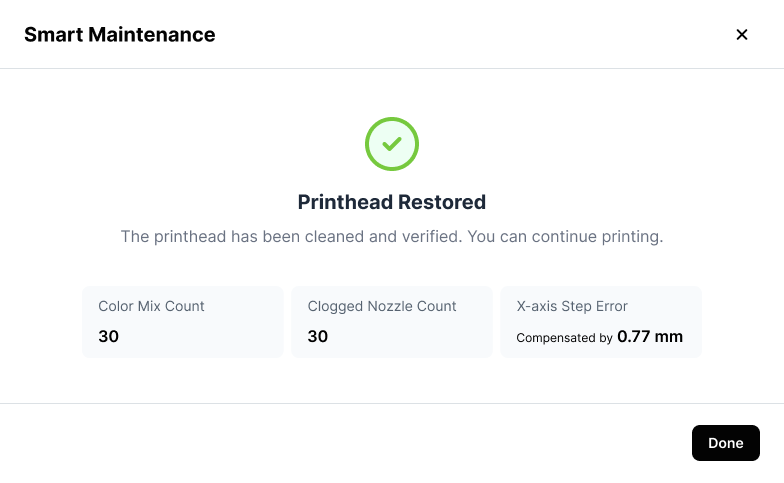
When maintenance is complete, the system displays the maintenance result.
Depending on the printhead condition and the actions performed, the result may indicate that:
- The printhead is in good condition.
- The printhead issue was successfully recovered.
- Nozzle Compensation was generated and applied.
- Additional maintenance or customer support is required.
The detailed result content is currently only available in the Lark document.
¶ 4.General Notes
- Smart Maintenance automatically determines the required process based on the check results.
- Nozzle Recovery or Deep Cleaning is not performed during every maintenance session.
- Nozzle Compensation is generated only when necessary.
- Do not turn off the printer or move the printbed during maintenance.
- Complete the maintenance process before starting another print job.
¶ 5.Important Precautions
- Do not turn off the printer, disconnect the power, or open the lid during maintenance.
- Do not move the printbed, paper, or jig.
- Use the correct paper size and type shown in the on-screen instructions.
- Whenever the system asks you to replace the paper, use a new, flat sheet.
- Deep Cleaning consumes more ink and should not be run manually unless necessary.
- Nozzle Compensation may reduce print defects caused by certain nozzle issues, but it cannot repair printhead hardware damage.
- If print quality does not improve after maintenance, contact customer support.
¶ 6.FAQ
¶ Why can’t the recovery process be canceled?
During recovery, the printer may be ejecting ink, cleaning the printhead, or performing ink-path operations.
Canceling the process midway may leave the recovery incomplete and increase the risk of printhead damage. For this reason, the recovery process cannot be canceled once it has started.
¶ Why did the system perform multiple recovery attempts?
The system checks the printhead condition after every recovery attempt.
If an issue is still detected, it continues with another attempt. Once the issue is resolved, the recovery process ends automatically and no unnecessary attempts are performed.
¶ Why does the recovery process consume a significant amount of ink?
Printhead recovery may require the printer to flush abnormal ink from the nozzles or color channels.
Clogged Nozzle Recovery, Color Mixing Recovery, and Deep Cleaning may therefore consume a noticeable amount of ink.
¶ Why is printhead maintenance still required when Nozzle Compensation is enabled?
Nozzle Compensation reduces the effect of missing nozzles on the printed result, but it does not repair the nozzles themselves.
If the printhead condition continues to deteriorate, the compensation file becomes outdated, or print quality declines, run Smart Maintenance again.
¶ Why is there still a color difference after Color Mixing Recovery?
If the color channels in the test pattern have returned to normal but the printed artwork still does not match the expected colors, check the following instead of repeatedly running Color Mixing Recovery:
- ICC profile
- Printing material
- Ink Mode
- Original design file
¶ Will maintenance stop if the App disconnects?
In most cases, no. The maintenance task continues on the printer.
After the connection is restored, the App retrieves the current task progress again. Check the status on the printer screen before taking further action, and do not start another maintenance task.
¶ What should I do if the issue remains after multiple recovery attempts?
Follow the on-screen instructions to complete Deep Cleaning and the Test Print.
If the system still cannot restore the printhead condition or generate an effective Nozzle Compensation file, record the printer’s SN or Support Code and contact customer support.
¶ Why are the maintenance steps different each time?
Smart Maintenance dynamically determines the required process based on the latest check results.
It performs only the steps that are currently necessary, so different printhead conditions may result in different maintenance processes.
¶ Why wasn’t Deep Cleaning performed?
Deep Cleaning is performed only when the system determines that standard recovery cannot restore the printhead condition.
If the issue is resolved through an earlier recovery step, Deep Cleaning is skipped.
¶ 7.Summary
Smart Maintenance does more than restore the printhead condition. It also evaluates print quality after recovery and generates the most appropriate compensation solution when required.
Customer support is recommended only when the issue cannot be resolved through maintenance or software compensation.