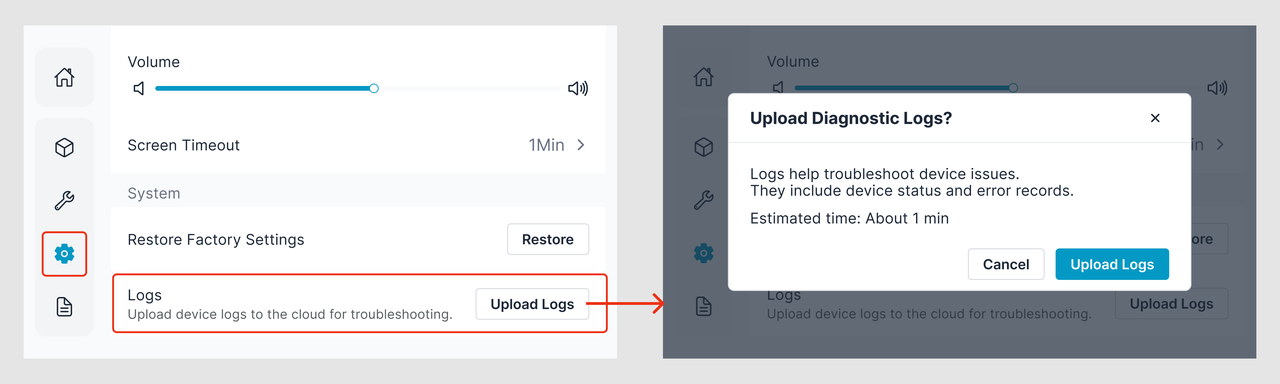
¶ 1. Upload Logs
- Click the Settings icon on the left sidebar.
- Scroll to the bottom of the page.
- Click Upload Logs.
¶ 2. Record the Support Code or Device SN
After uploading the logs, record either the Support Code or the Device SN.
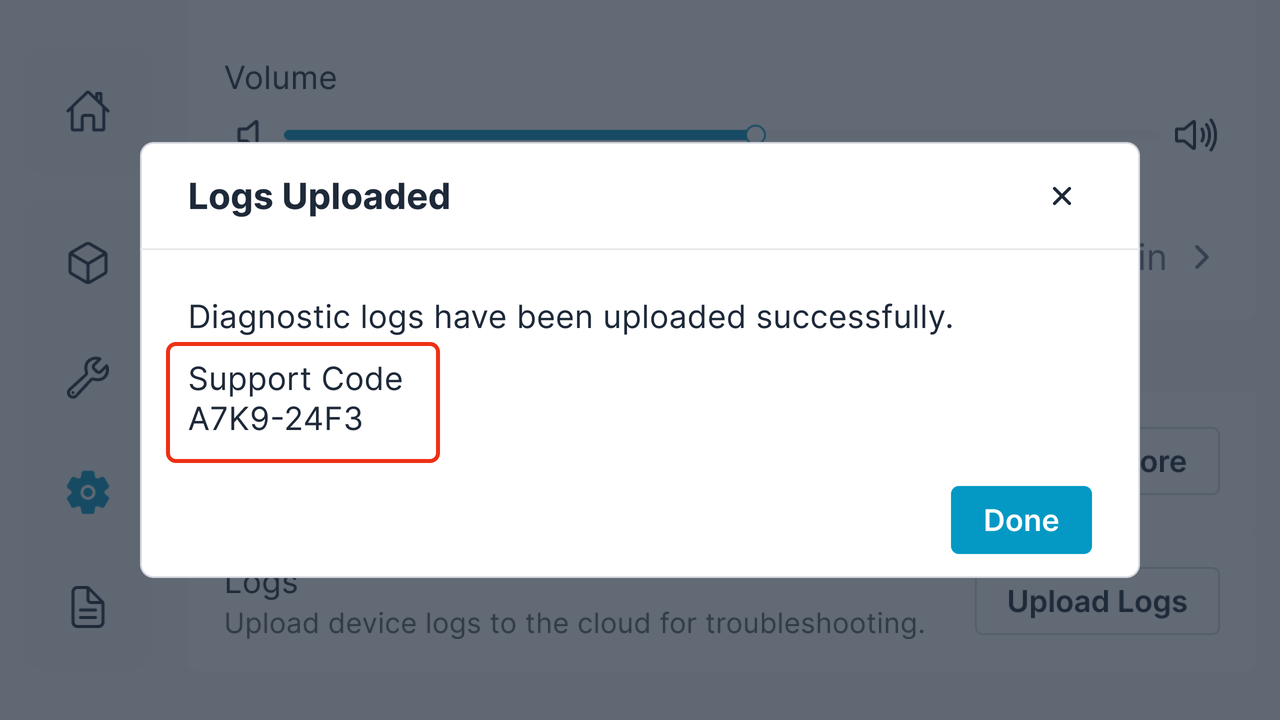
¶ Option 1: Record the Support Code
- Wait until the log upload is complete.
- After the upload finishes successfully, a Support Code is generated automatically.
- Record the Support Code for future reference.
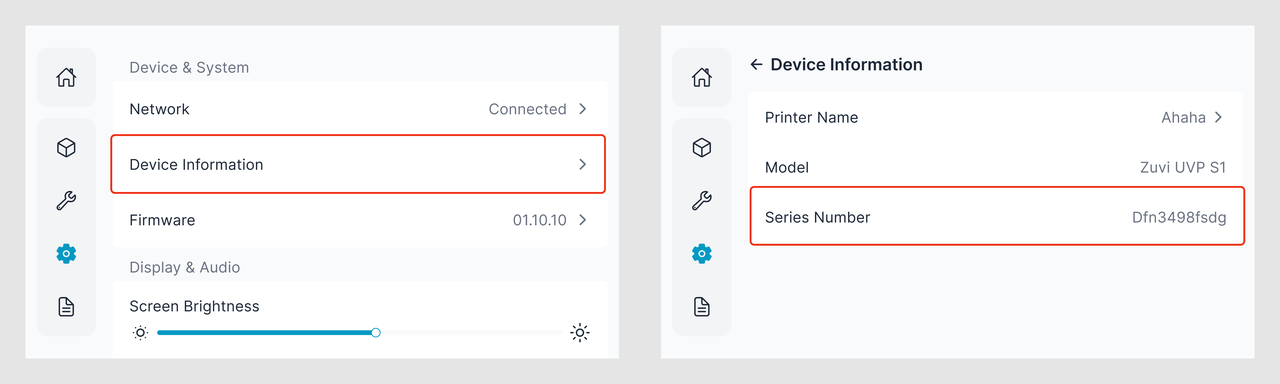
¶ Option 2: Record the Device SN
If you did not record the Support Code, you can use the Device SN instead.
- Open Device Information.
- Locate and record the Device SN.
¶ 3. Information Required When Reporting an Issue
When contacting technical support, please provide the following information:
- Device SN or Support Code
- The approximate time when the issue occurred
- A brief description of the issue and what happened