¶ Home Page-projects
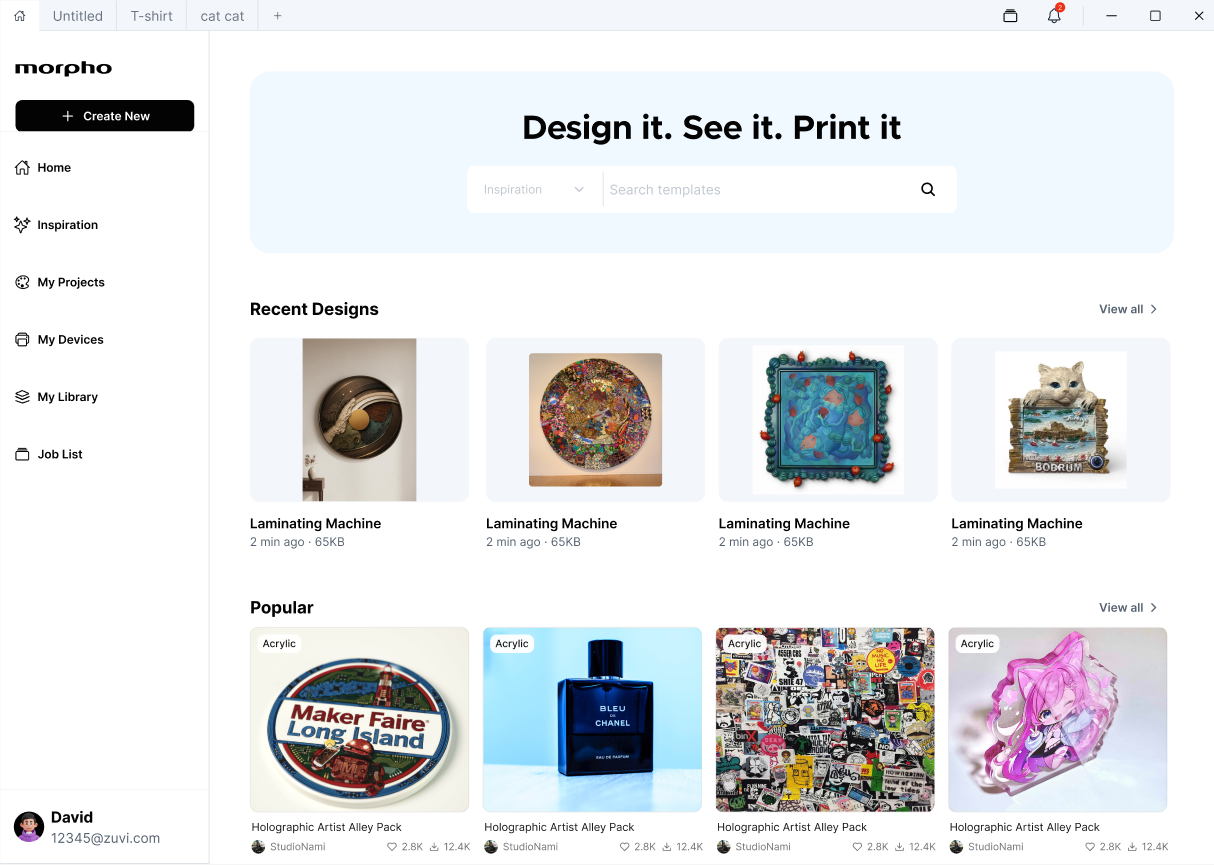
The Home page is the main starting point of Morpho. It provides quick access to project creation, inspiration search, recent designs, popular resources, devices, projects, library content, and print job records. You can:
-
Start a new project
-
Search for templates or inspiration
-
Continue from recent designs, click 'view all ->' to access My Projects menu
-
Browse popular design resources, click 'view all ->' to access Templates menu
-
Navigate to projects, devices, library content, or job lists
-
Access your account area
¶ Left Bar Menu - My Projects
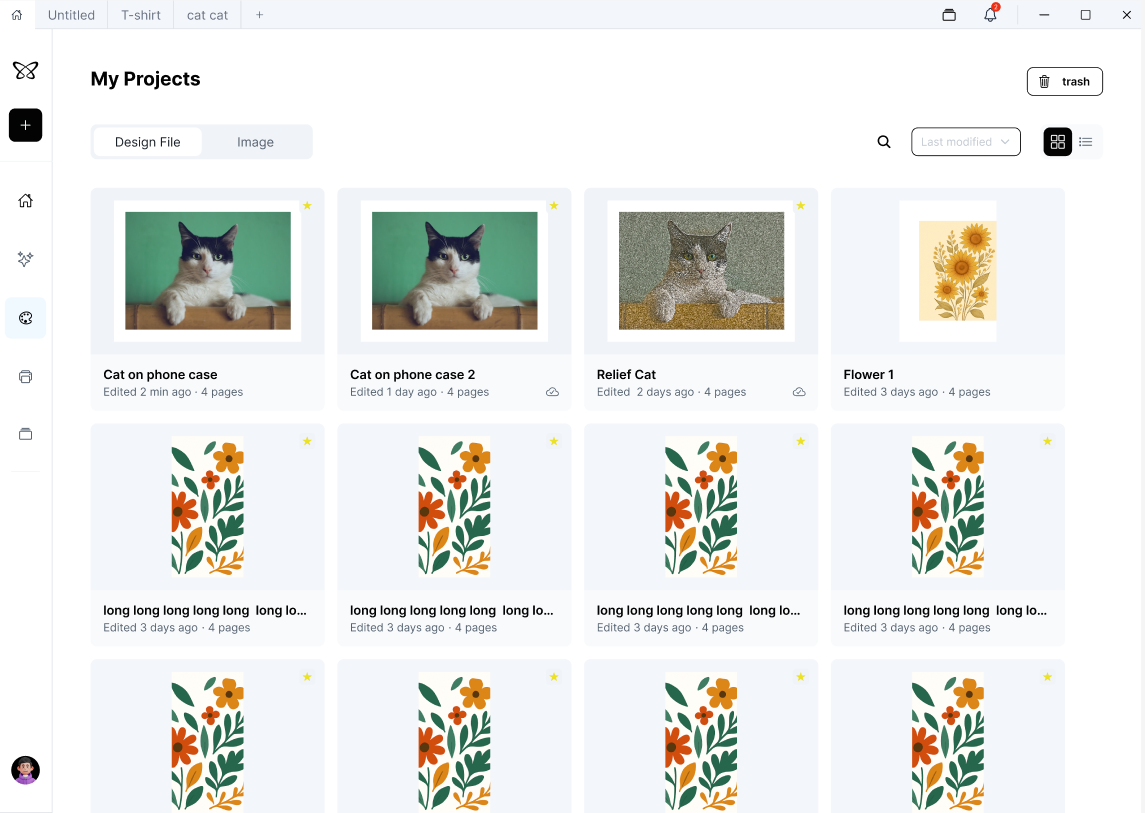
The My Projects page is where you can view, open, manage, and organize your Morpho project files.
-
Reopen an existing project
-
Create a new project
-
Duplicate a project
-
Renamed a project
-
Save a project to the cloud
-
Move a project to Trash
-
Find projects by source or modification date
-
Switch between grid and list-style browsing
¶ Trash
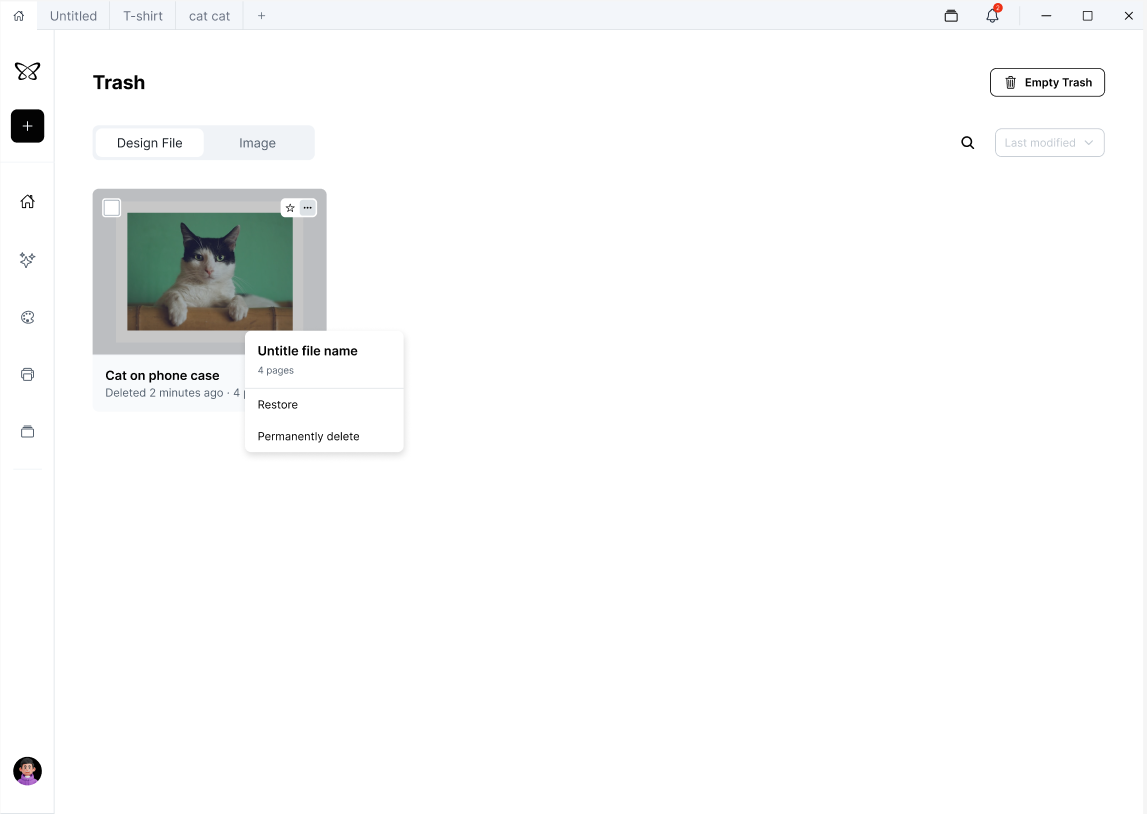
The Trash page stores deleted design files and images, so you can review them before removing them permanently. From this page, you can:
-
Review recently deleted design files or images
-
Restore a deleted item
-
Permanently delete an item
-
Empty all Trash contents
-
Search for deleted items
-
Sort deleted items by modification or deletion-related time
-
Manage design files and images separately