¶ Overview
This guide applies to Morpho Standard and Morpho Pro. The schedule below provides recommended maintenance intervals. Adjust maintenance frequency based on how often you use the printer.
| Schedule | Maintenance tasks |
|---|---|
| Daily | Clean the A4 Tray, Printer Interior, and Ink Tank |
| Weekly | Clean the Printhead, Printhead Station, and UV Lamp Cover Glass |
| Monthly | Lubricate the X-axis and Z-axis |
¶ Start Conditions
- Keep the printer powered on throughout maintenance.
- Make sure no print job or maintenance function is running.
- Wear Protective Gloves during all cleaning operations.
- Use the cleaning materials specified for each component in the relevant section of this guide. Where Ink Cleaning Solution is specified, use only the official solution specified for the printer.
¶ Access Motion Control
On the machine touchscreen, tap the third icon on the left to open Maintenance. Under Motion & Positioning, select Motion Control.
| Maintenance menu | Motion Control screen |
|---|---|
.png) |
.png) |
¶ Motion Control Functions
Tip: Before using Motion Control, make sure no tools or other items are left inside the printer. Wait for the printhead or Base Plate to reach the selected position before starting the next maintenance step.
The Motion Control screen displays the movement controls and the current X, Y, and Z coordinates.
- Maintenance Position: Press this button to move the printhead to the maintenance position. Use it before cleaning the printhead or UV Lamp Cover Glass.
- Home: Press the home button to return the printhead to its home position after maintenance.
- X / -X: Moves the printhead carriage along the X-axis. Press these buttons to move the printhead back and forth.
- Y / -Y: Moves the printhead along the Y-axis.
- Up / Down: Moves the Base Plate along the Z-axis.
- Step Size (mm): Sets the movement distance for each button press.
- Current Position: Displays the current X, Y, and Z coordinates.
The animations below show movement along the X- and Z-axes.
| X-axis Movement | Z-axis Movement |
|---|---|
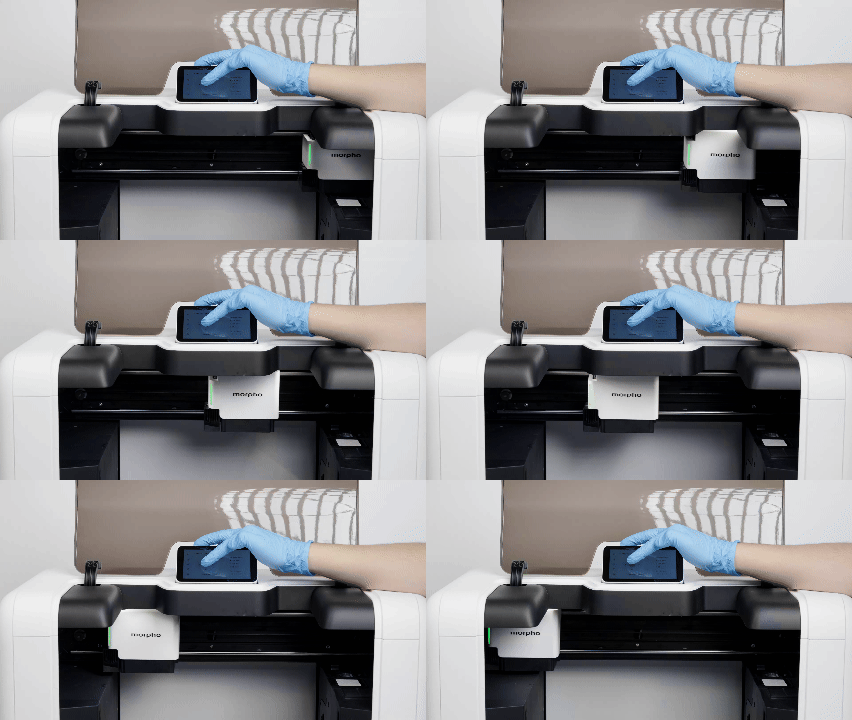 Moving the printhead carriage along the X-axis |
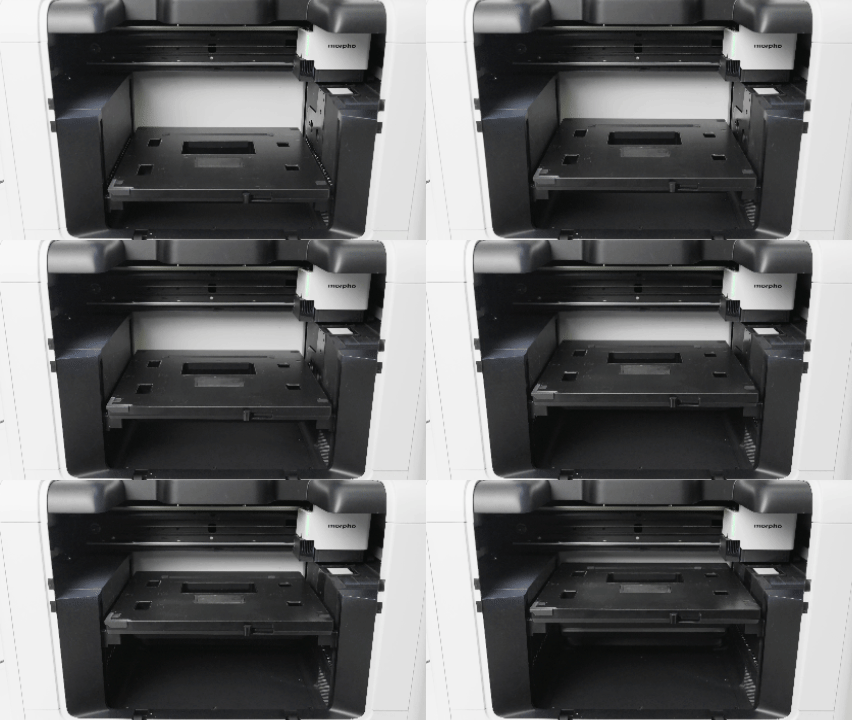 Moving the Base Plate along the Z-axis |
¶ Daily Maintenance
¶ Clean the A4 Tray
Ink can cure on the A4 Tray during printing. Keeping the tray clean helps maintain a flat printing surface.
Tools and materials
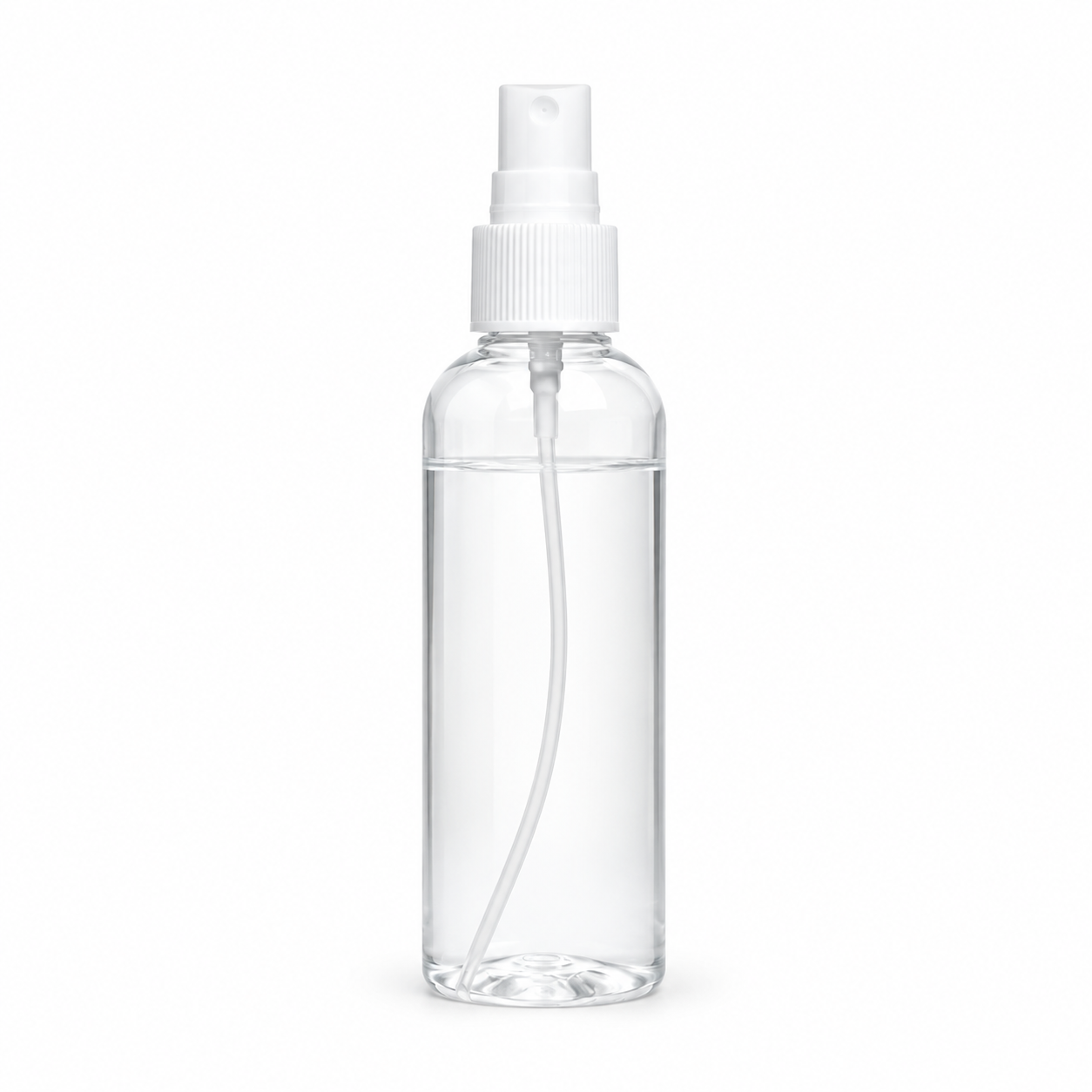
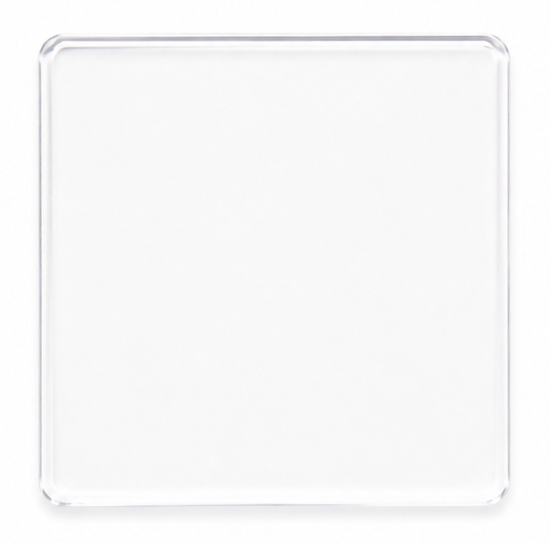
| 75% Ethanol | Cleaning Cloth | Scraper | Acrylic Sheet | Protective Gloves |
|---|---|---|---|---|
 |
 |
 |
 |
 |
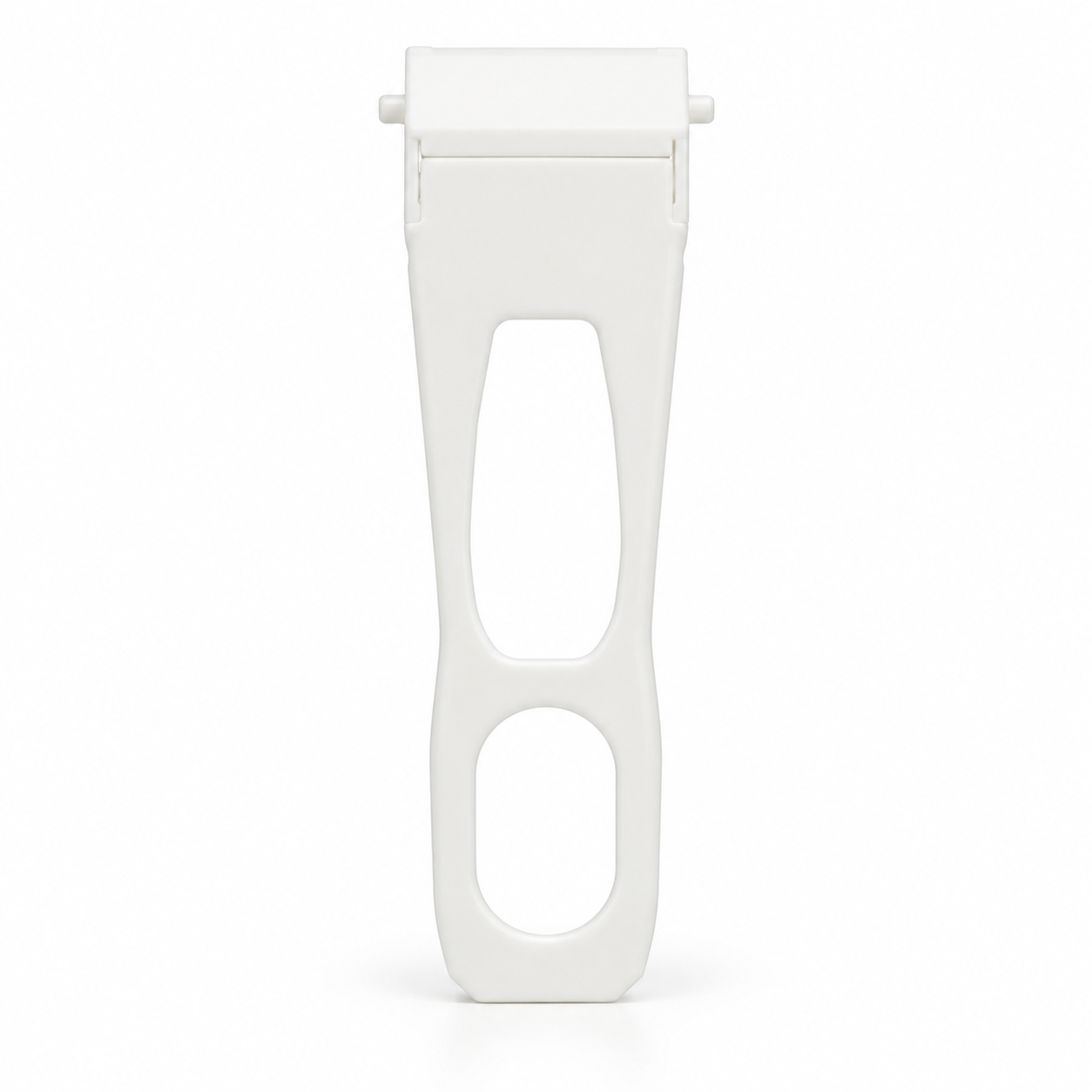
Tip: Download the scraper model file to 3D-print a scraper. PETG is recommended. If you don't have a printed scraper, use an Acrylic Sheet.
- Remove the A4 Tray and place it on a flat, stable table.
- Spray 75% Ethanol onto the tray.
- Use a Plastic Scraper or Acrylic Sheet to remove cured UV ink. Use only a non-sharp, non-metal tool.
- Wipe the tray dry with a Cleaning Cloth.
- Confirm that no visible cured ink remains on the A4 Tray.
Caution: An uneven surface under the tray may damage its coating during scraping.
| Scraper | Acrylic Sheet |
|---|---|
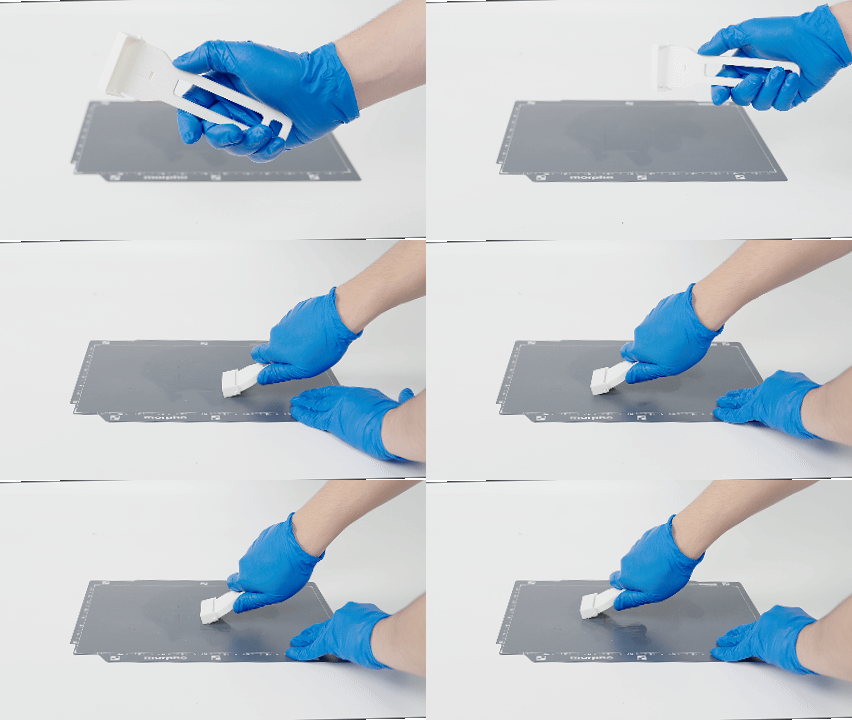 Removing cured ink from the A4 Tray with a plastic scraper |
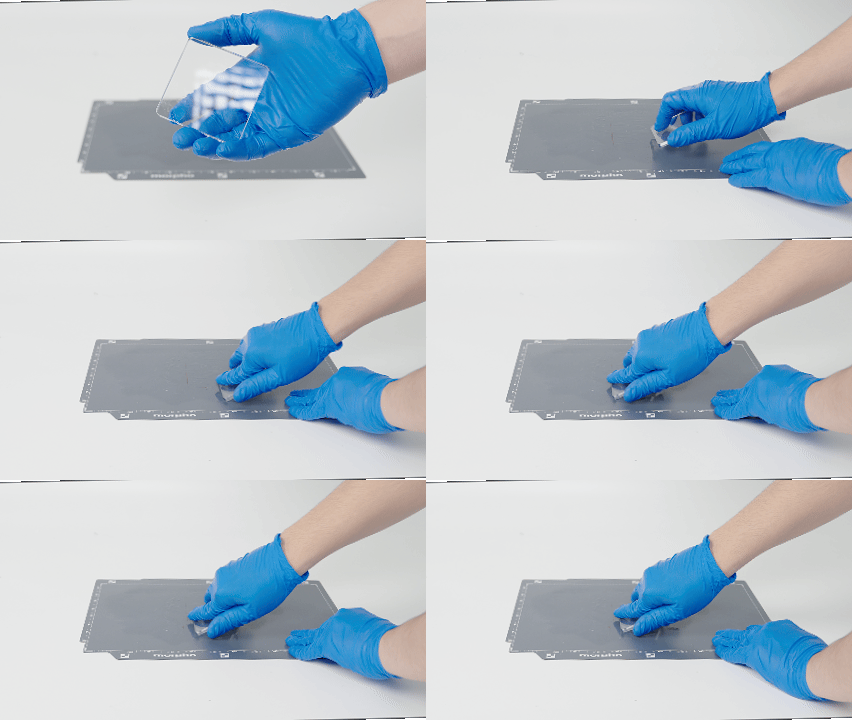 Removing cured ink from the A4 Tray with an acrylic sheet |
¶ Clean the Printer Interior
Dust and debris can build up beneath the platform and interfere with its movement.
Tools and materials
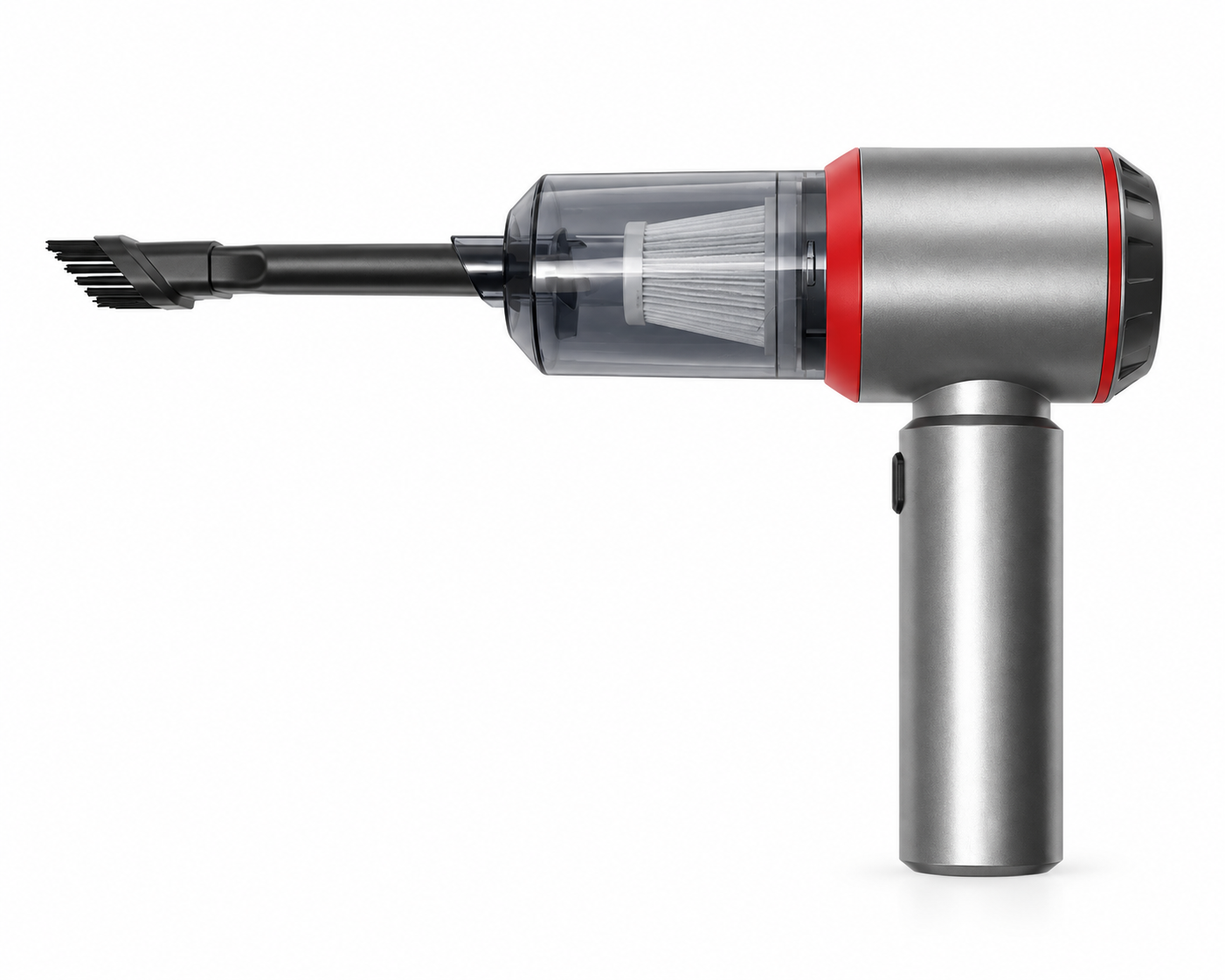
| Handheld Vacuum Cleaner (Optional) | Cleaning Cloth | Protective Gloves |
|---|---|---|
 |
|
|
The red-highlighted area shows the chamber surfaces to clean.
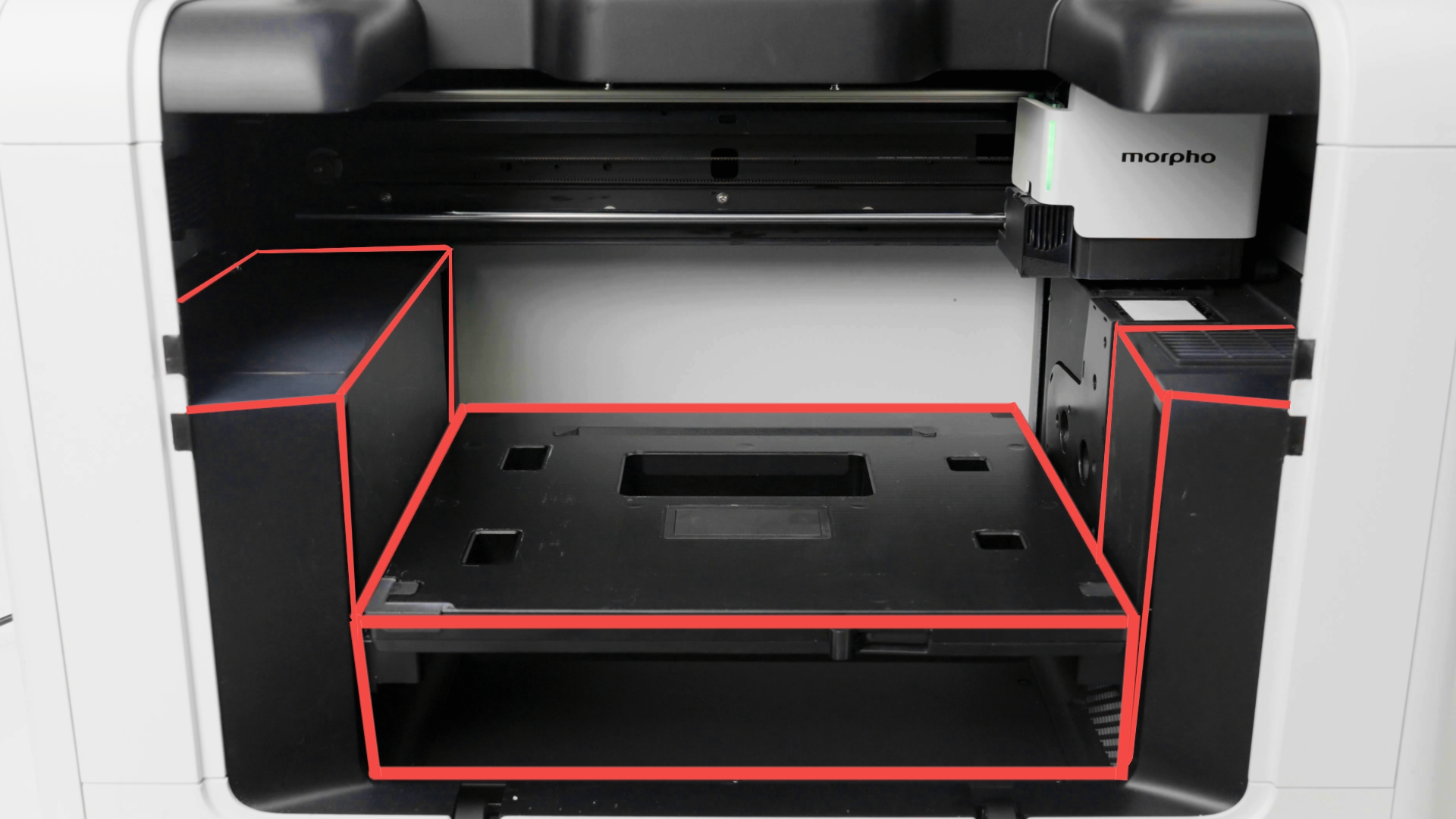
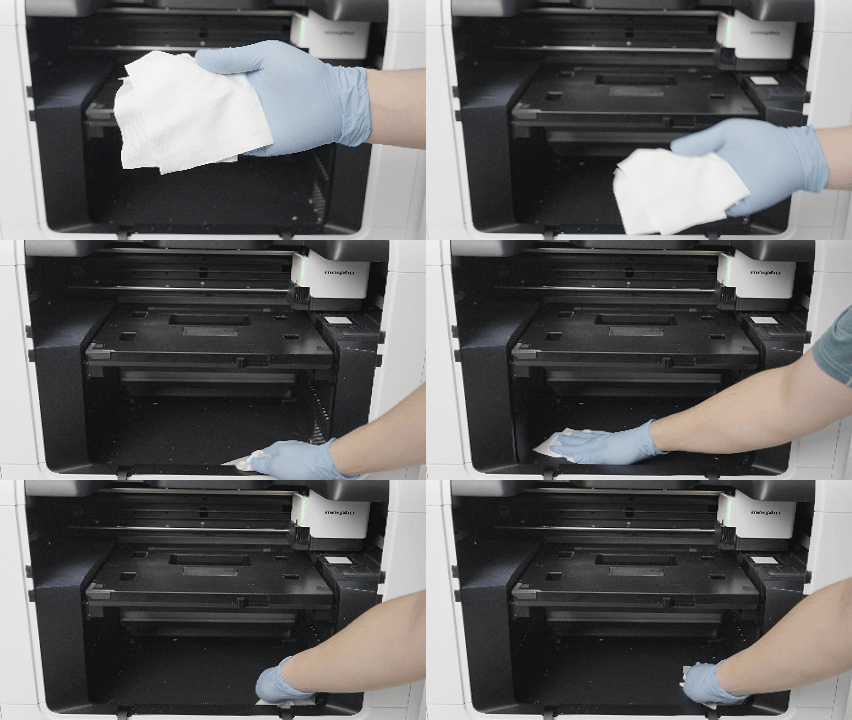
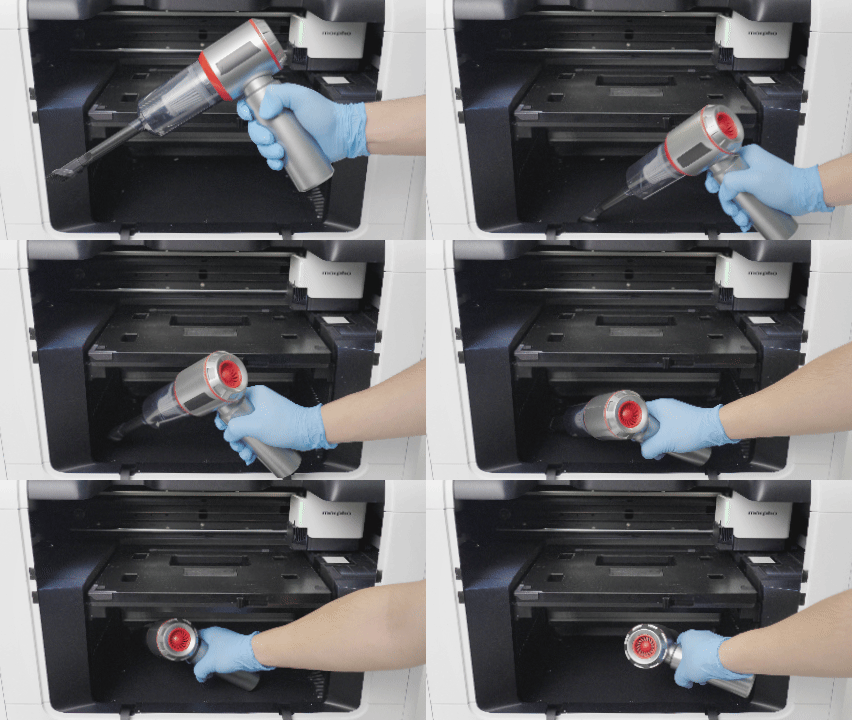
- Use a handheld vacuum cleaner or a cleaning cloth to clean the accessible surfaces in the highlighted area.
- Use Motion Control to raise the Base Plate. Clean the area beneath the Base Plate that was not accessible before.
- Use Motion Control to return the Base Plate to its normal position.
- Return the A4 tray to the machine.
| Wipe with a Cleaning Cloth | Vacuum the Interior |
|---|---|
 |
 |
¶ Clean the Ink Tank
Check the ink tank for leaked ink and clean it when necessary.
Tools and materials
| Protective Gloves | Cleaning Cloth | Ink Cleaning Solution |
|---|---|---|
|
|
 |
- Remove the left side cover.
- Remove the ink cartridges from the ink tank.
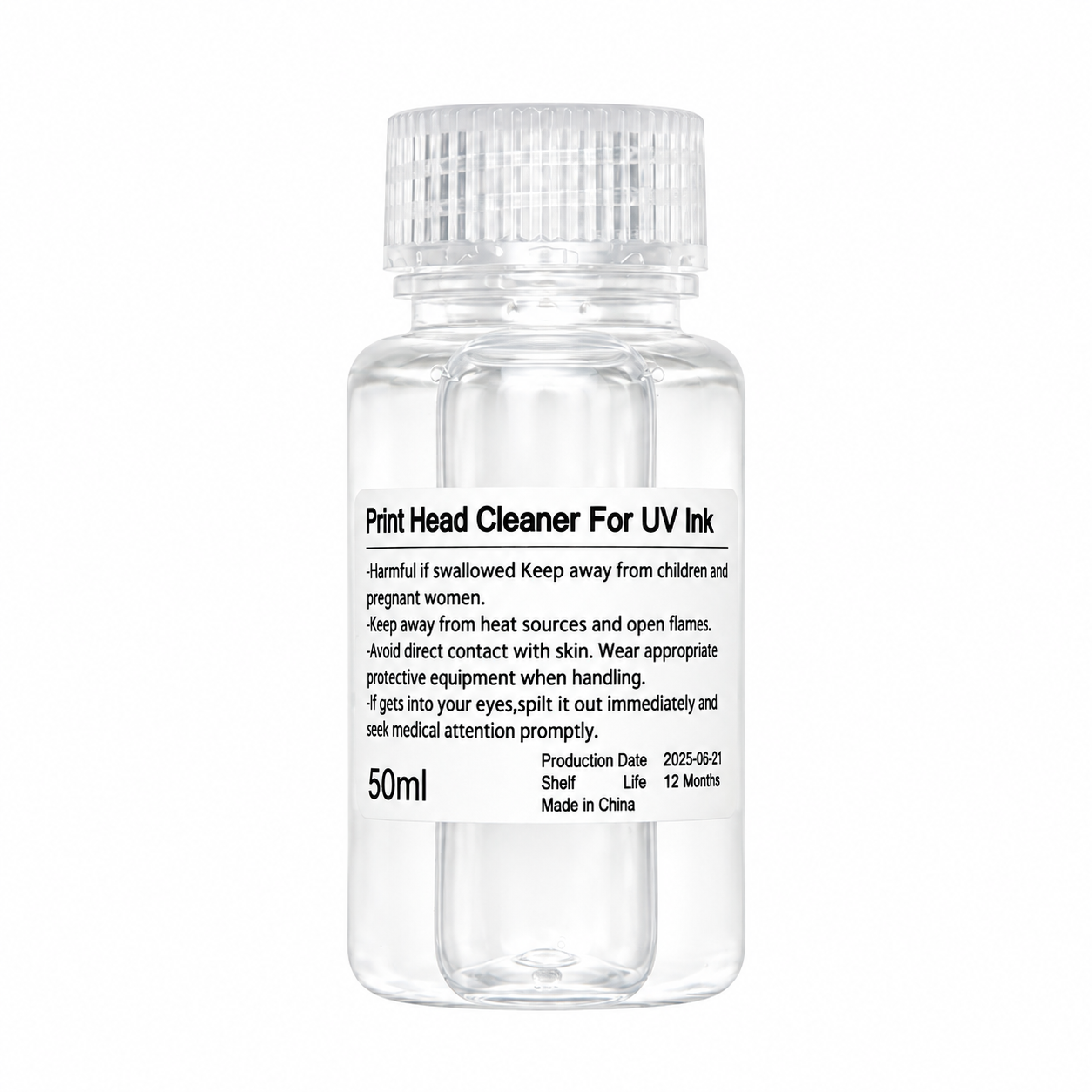
- Spray Ink Cleaning Solution onto a Cleaning Cloth and wipe away any leaked ink.
- Check whether any residual ink remains inside the ink tank.
- Reinstall the ink cartridges and the left side cover.
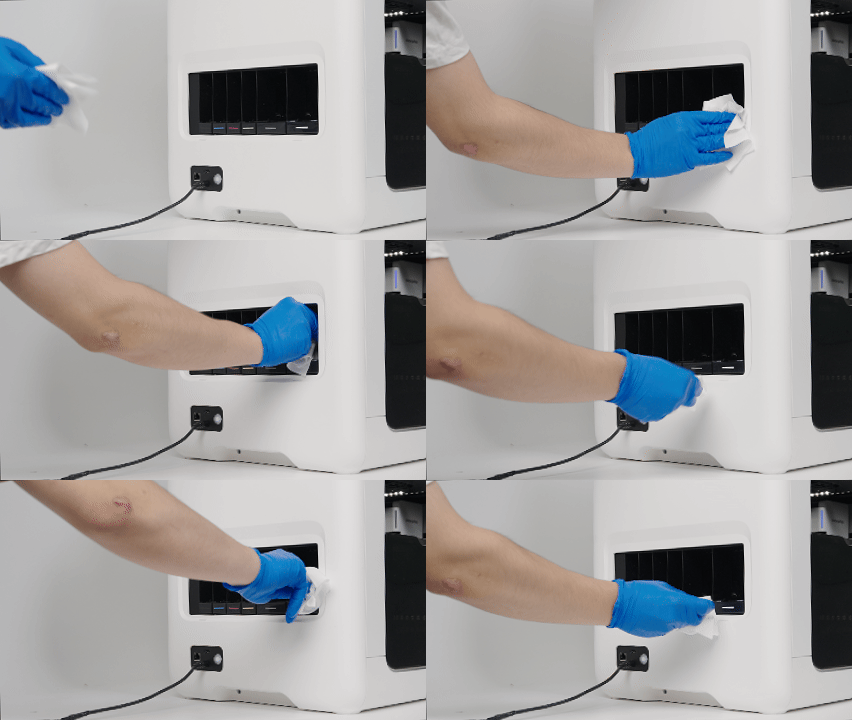
Cleaning leaked ink from the ink tank.
Daily maintenance is complete. You can now continue using the printer. For other maintenance tasks, see the relevant sections in this guide.
¶ Weekly Maintenance
¶ Clean the Printhead
Clean the printhead at the recommended maintenance intervals. Regular cleaning helps prevent ink residue from curing and becoming difficult to remove.
¶ Recommended Cleaning Method
Tools and materials
| Protective Gloves | Cleaning Swab | Cleaning Cloth | Ink Cleaning Solution | Scraper |
|---|---|---|---|---|
|
 |
|
|
|
Before you begin:
Do not use alcohol, acidic or alkaline substances, or commercially available printhead cleaning solutions on the printhead.
Do not touch the nozzle area directly by hand.
Do not reuse a Cleaning Swab after it becomes dirty.
¶ Clean Around the Nozzles
- In Motion Control, press the Maintenance Position button to move the printhead to the maintenance position.
- Pour Ink Cleaning Solution onto a Cleaning Cloth.
- Use the cloth to clean around the nozzles.
- Use a dry Cleaning Cloth to wipe the area dry.
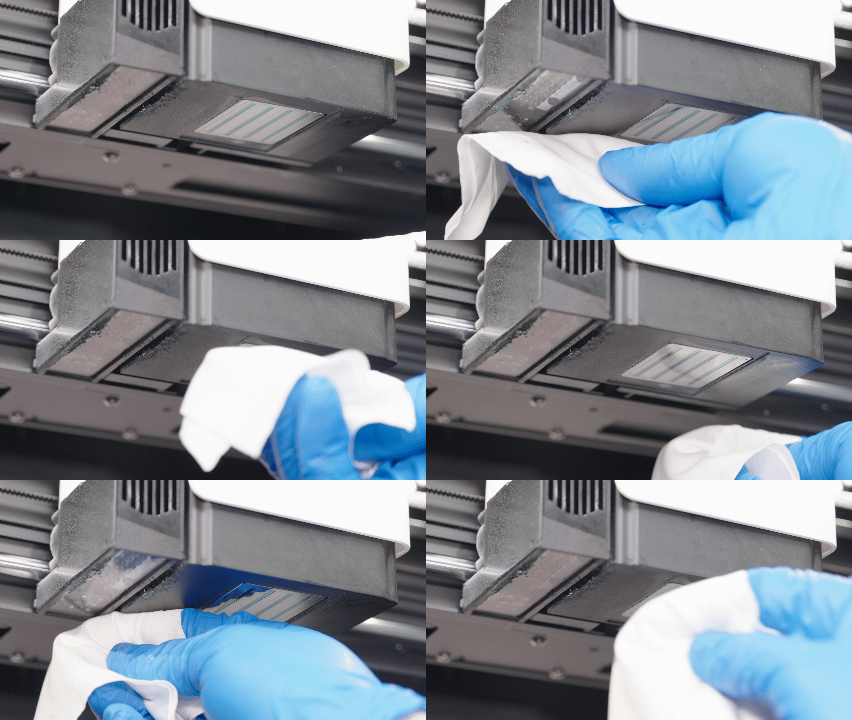
Clean ink residue around the nozzles regularly to prevent it from curing.
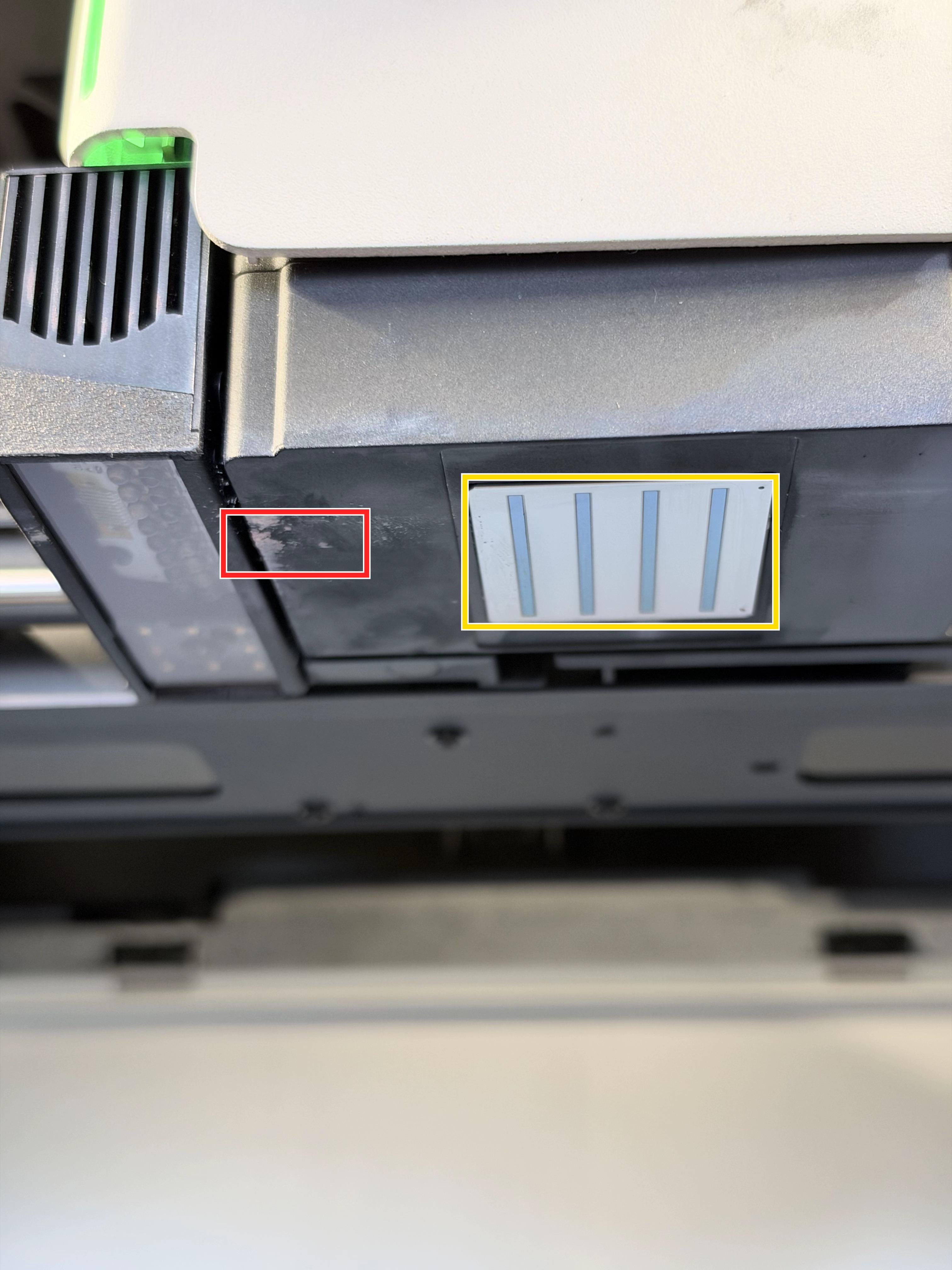
Red box — Cured ink residue: If repeated wiping with a Cleaning Cloth does not remove the residue, carefully use the scraper listed in the tools and materials section. Work only on the residue. If it cannot be removed gently, stop and contact Technical Support.
Yellow box — Nozzle area: Do not touch it directly by hand or scrape it. Follow the cleaning steps below.
¶ Clean the Nozzle Area
- Dip a Cleaning Swab in the official Ink Cleaning Solution.
- Wipe along the Y-axis in one direction. Do not wipe back and forth.
- If the Cleaning Swab becomes dirty, replace it with a new one before continuing.
- Use a Cleaning Cloth to dry the nozzle area.
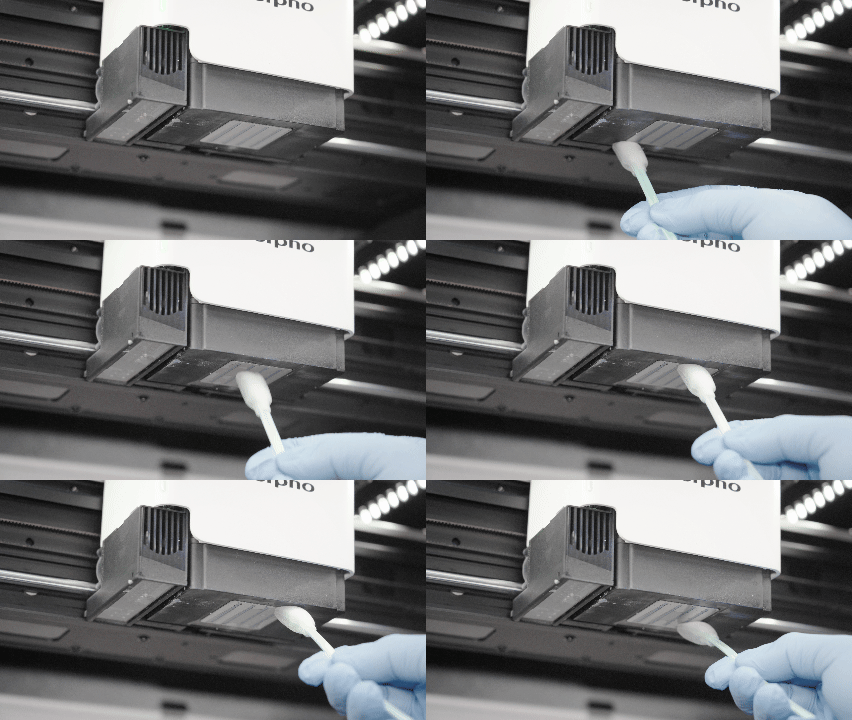
¶ Clean the Printhead Station
Ink buildup on the ink pad may result in ink leakage, printhead malfunction and other safety risks.
Tools and materials
| Protective Gloves | Cleaning Swab | Ink Cleaning Solution |
|---|---|---|
|
|
|
Before you begin:
Do not reuse a Cleaning Swab after it becomes dirty.
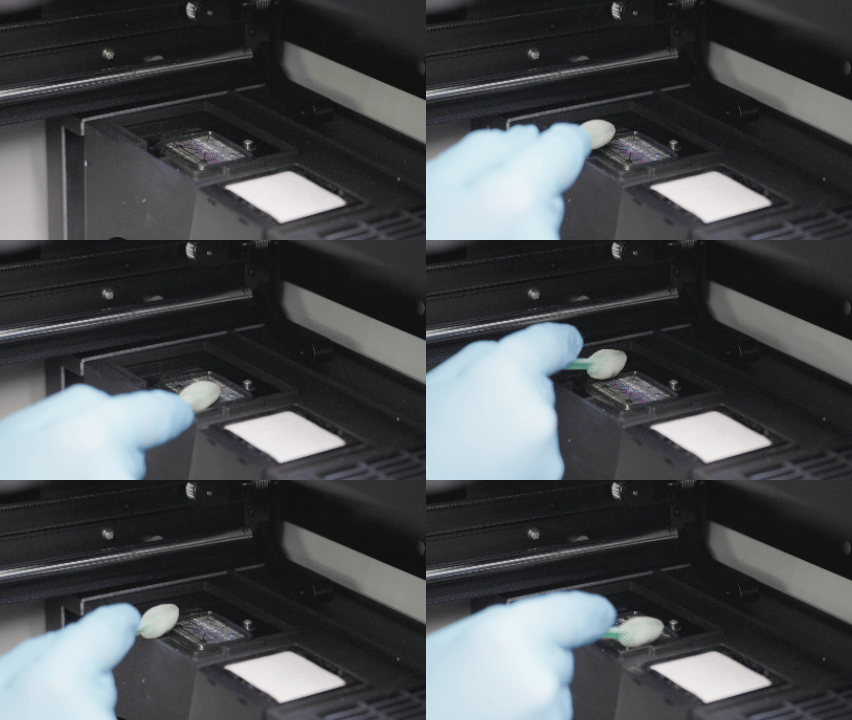
- Use Motion Control to move the printhead to the recommended position (X: 200 mm, Y: 200 mm), exposing the Printhead Station for cleaning.
- Dip a Cleaning Swab in ink cleaning solution, then use it to remove residual ink and debris from the exposed ink pad.
- Confirm that the Printhead Station is clean and no cleaning solution has pooled. Then use Motion Control to return the printhead to its home position.
¶ Clean the UV Lamp Cover Glass
Ink residue or cured ink buildup on the UV Lamp Cover Glass may affect UV curing.
Tools and materials
| Protective Gloves | Cleaning Swab | Cleaning Cloth | 75% Ethanol |
|---|---|---|---|
|
|
|
|
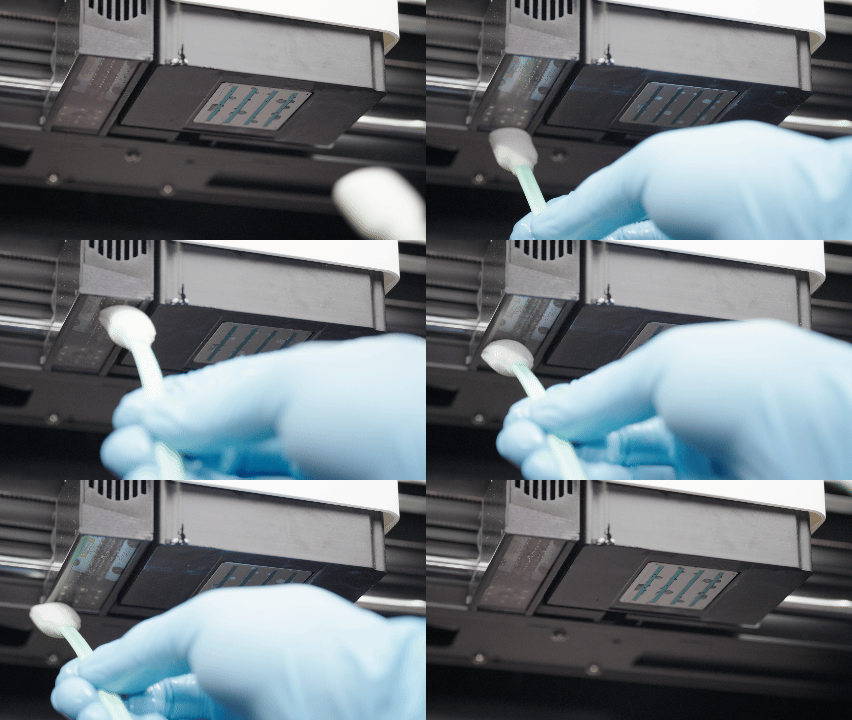
- Use Motion Control to move the printhead to the maintenance position.
- Dampen a Cleaning Swab with 75% Ethanol
- Wipe the UV Lamp Cover Glass.
- Wipe the glass dry with a Cleaning Cloth.
- In Motion Control, press the Home button to return the printhead to its home position.
Weekly maintenance is complete. You can now continue using the printer. For other maintenance tasks, see the relevant sections in this guide.
¶ Monthly Maintenance
¶ Lubricate the X-axis
Tools and materials
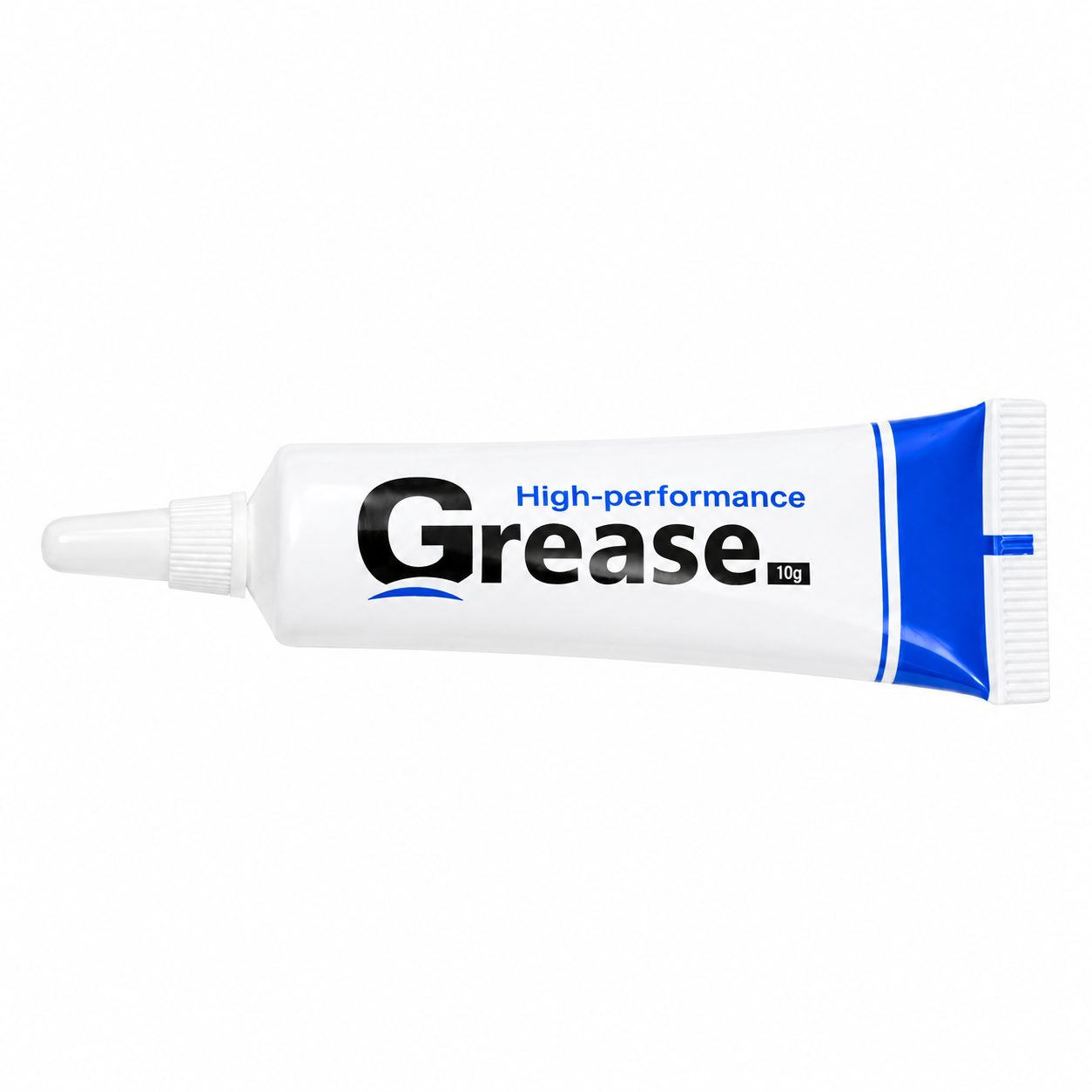
| Protective Gloves | 75% Ethanol | Cleaning Cloth | Cleaning Swab | Lubricating Grease |
|---|---|---|---|---|
|
|
|
|
 |
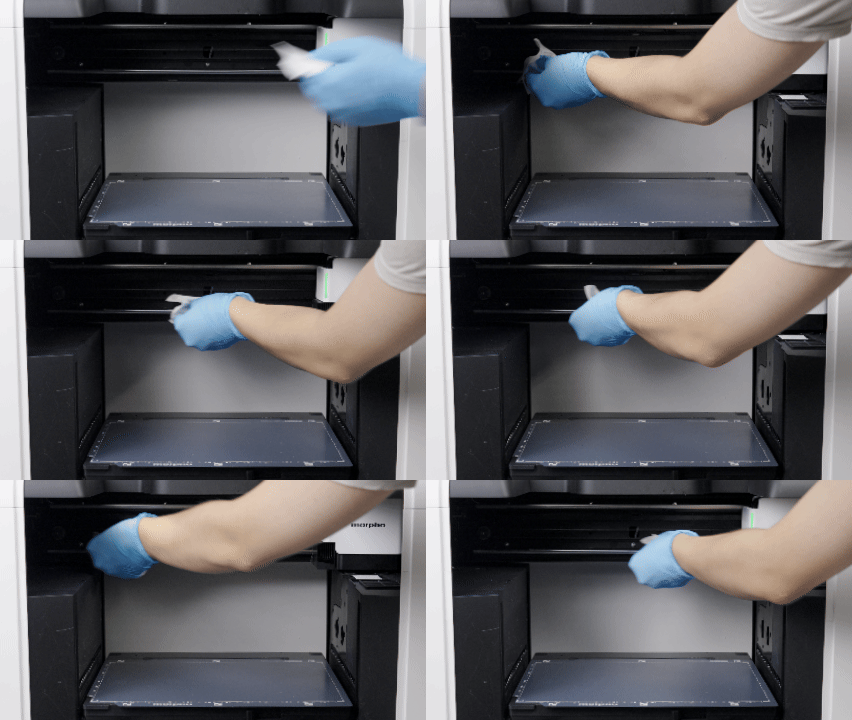
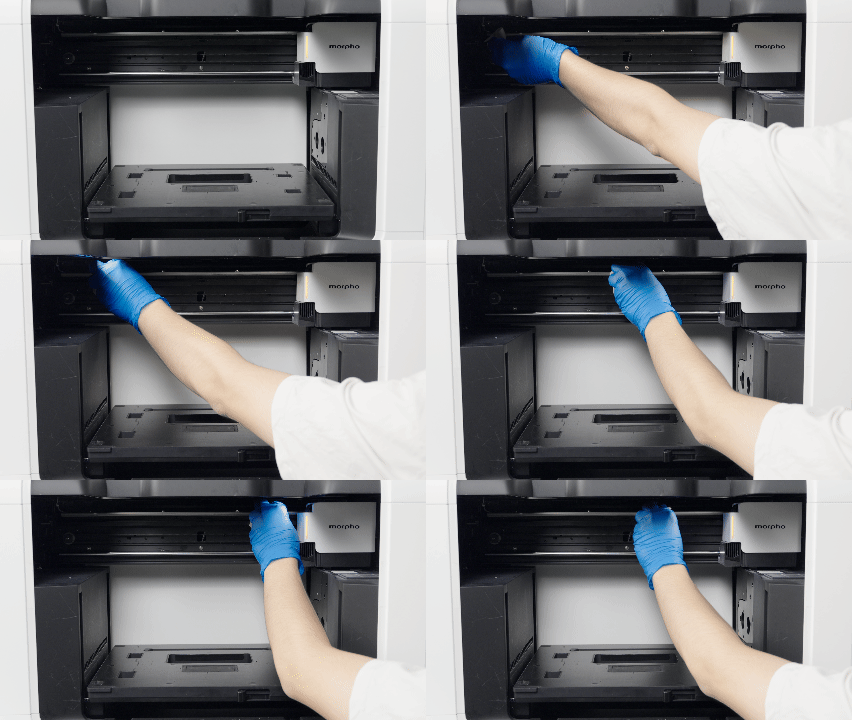
- Spray 75% Ethanol onto a Cleaning Cloth and wipe dust from the X-Axis Shaft and X-Axis Beam.
- Apply Lubricating Grease to the Cleaning Cloth and wipe it along the X-Axis Shaft and the surface of the X-Axis Beam.
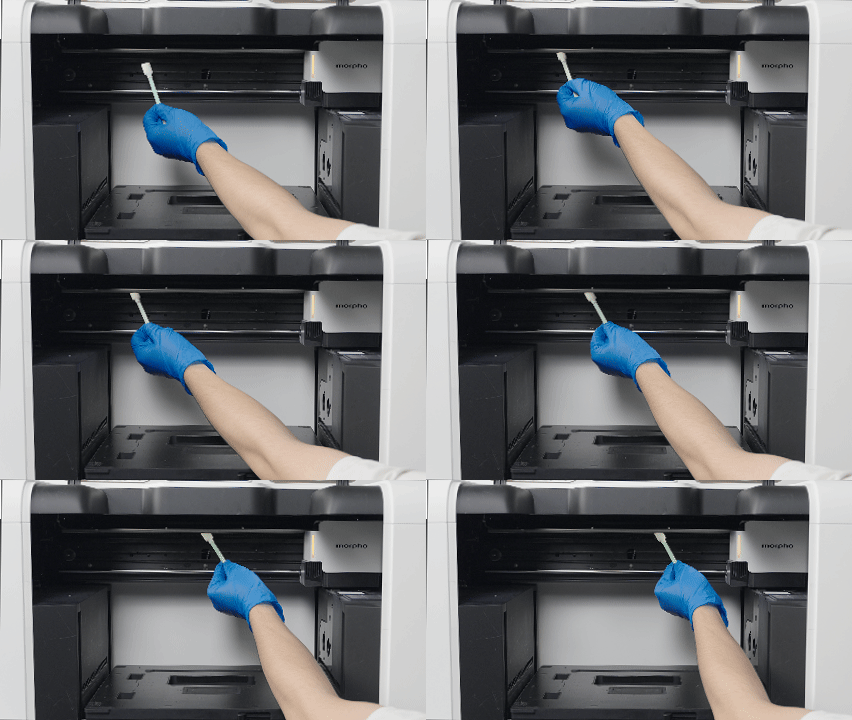
- Apply Lubricating Grease to a clean Cleaning Swab and spread it into the groove of the X-Axis Beam.
- Use Motion Control to move the printhead carriage back and forth to distribute the grease evenly.
| Lubricate the X-axis Shaft | Lubricate the X-axis Beam | Lubricate the Groove of the X-axis Beam |
|---|---|---|
 |
 |
 |
¶ Lubricate the Z-axis
Tools and materials
| Protective Gloves | Cleaning Swab | Lubricating Grease |
|---|---|---|
|
|
|
- Apply Lubricating Grease to a Cleaning Swab.
- Use the swab to spread the grease along the Z-axis rail.
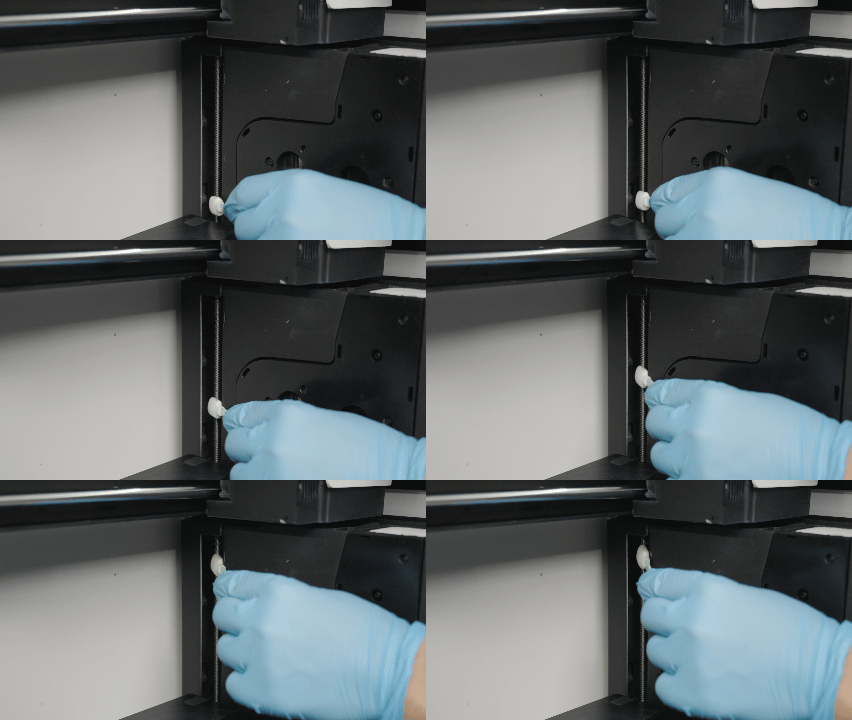
- Use Motion Control to move the Base Plate up and down to distribute the grease evenly.
Monthly maintenance is complete. You can now continue using the printer. For other maintenance tasks, see the relevant sections in this guide.
¶ Need More Help?
We hope this guide has been helpful. If you have any questions or need further assistance, our support team is here to help.