¶ What is SN
A serial number (SN) is a unique identifier assigned to a printer.
¶ Why do I need to find the SN
- Provide the SN for after-sales services.
¶ How to find the SN
You can find the SN in Morpho Studio, or on the printer screen.
¶ Morpho Studio
- In Morpho Studio, click Devices.
- Select the printer whose serial number you want to find.
- Click Settings.
- Under Device Information, find Serial Number.
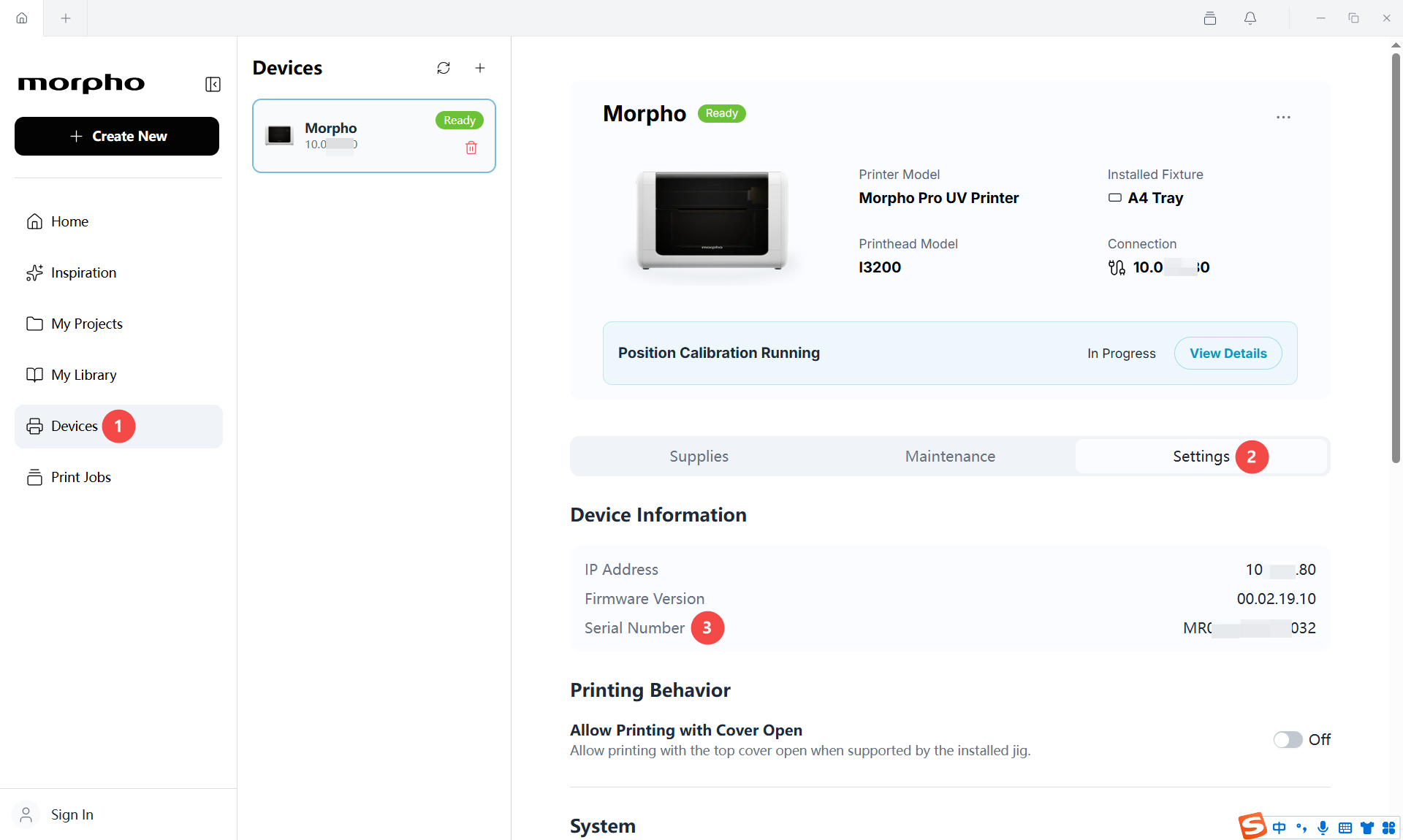
- Record your printer's full serial number and include it in your support request.
¶ Printer Screen Menus
The following steps are the same for Morpho series printers.
-
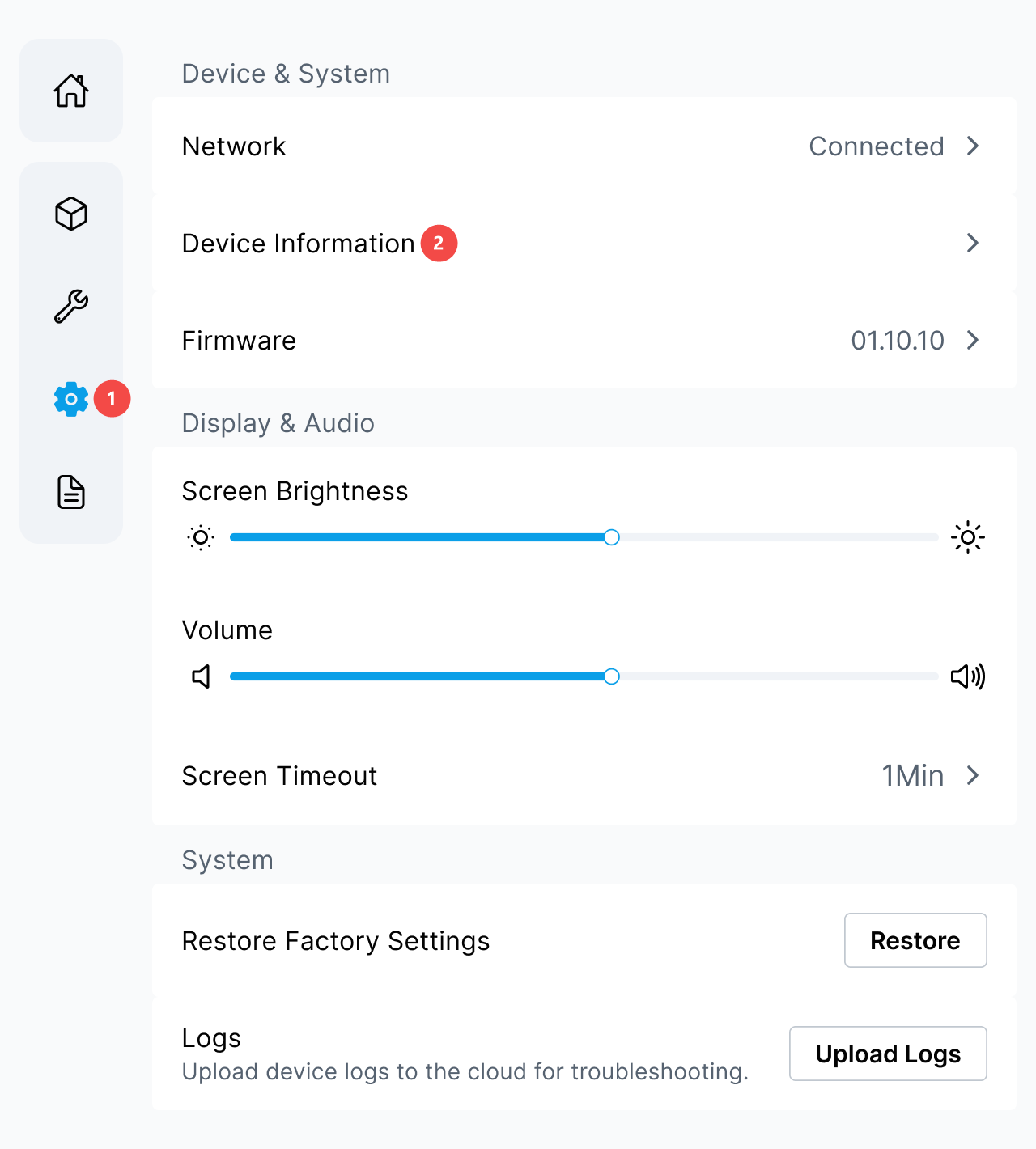
On the printer touchscreen, tap the gear icon, then tap Device Information.
-
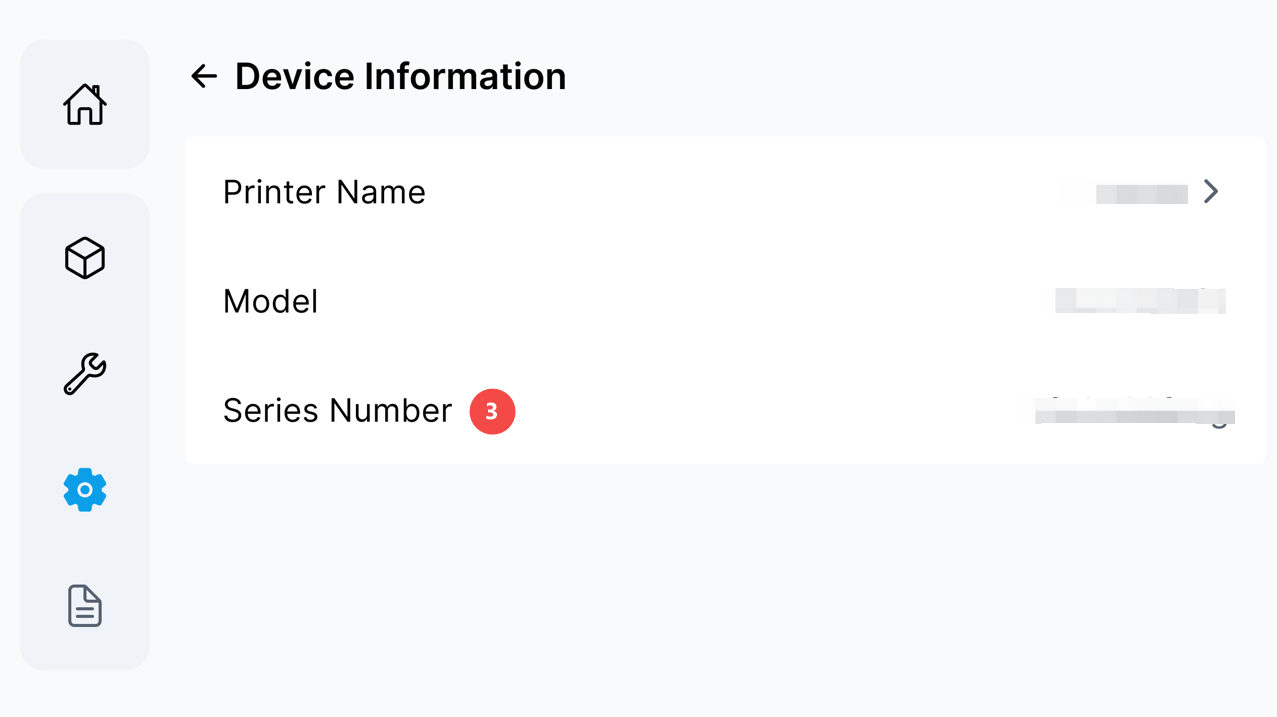
Find the printer's serial number in the field labeled Series Number.
-
Record your printer's full serial number and include it in your support request.
¶ Need More Help?
We hope this guide has been helpful. If you have any questions or need further assistance, our support team is here to help.