¶ What is Software Version
The software version identifies the version of Morpho Studio currently installed on the computer and helps the technical support team verify compatibility and troubleshoot issues.
¶ Why do I need to find the Software Version
- Provide the Software Version for after-sales services.
¶ How to find the Software Version
You can find the Software Version in Morpho Studio.
¶ Morpho Studio
In Morpho Studio, you can find the Software Version in two ways:
-
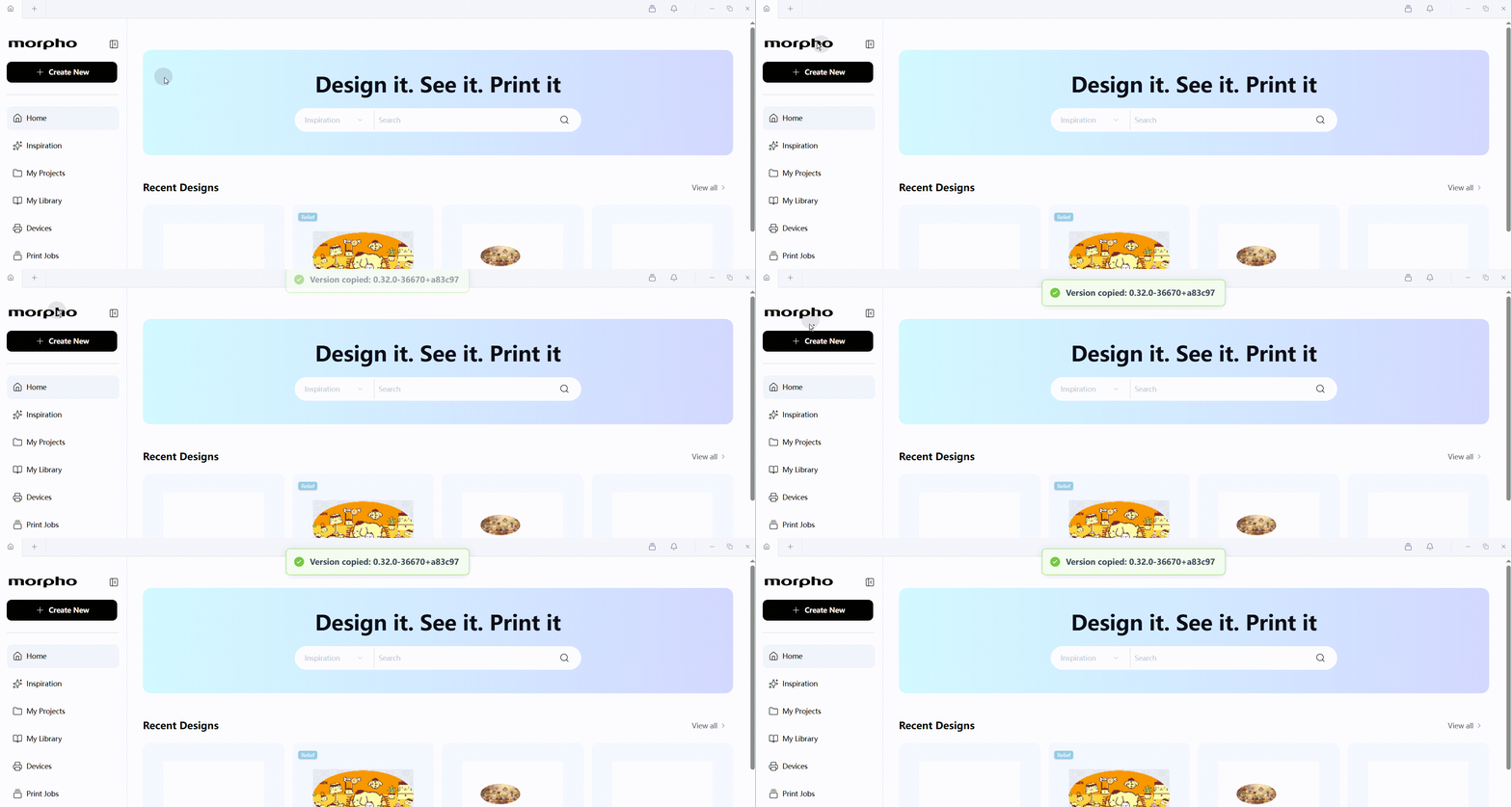
Hover over the Morpho logo in the upper-left corner to display the software version. Double-click the logo to copy the software version. Paste the copied version into your support request.
-
Click Sign In in the lower-left corner, then select Check for Updates. If a newer version is available, an update window appears. In the update window,record the value under Current version, not New version.
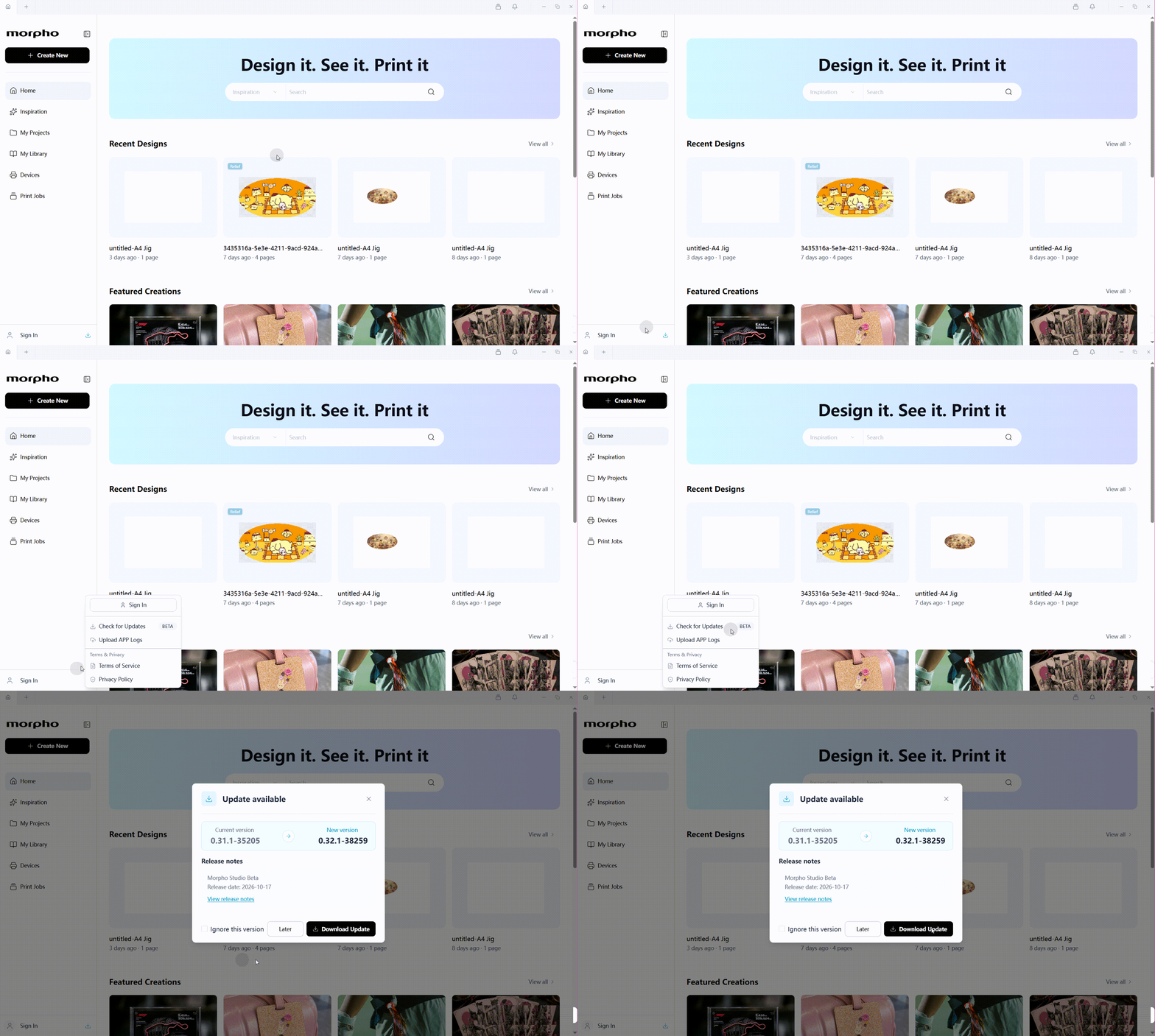
If no update window appers,Morpho Studio is up to date,please use Method 1 to verify the software version.
¶ Need More Help?
We hope this guide has been helpful. If you have any questions or need further assistance, our support team is here to help.